BULK FOOD OPERATIONS · BEFORE FILLING
“Weigh your jar” leaves too much unstated. Say when to weigh, what to record and where to ask for help before the container is filled.
Make “empty first” the first action
A new bulk shopper may understand that a jar needs weighing without knowing which weight to keep. If they fill it first, a later instruction to record the empty weight comes too late. Put the first action before the dispensing point and connect it to the record checkout will actually use.
A useful notice answers four questions: when to weigh, which weight and unit to record, which item code belongs with the purchase, and what to do if any part is missing.
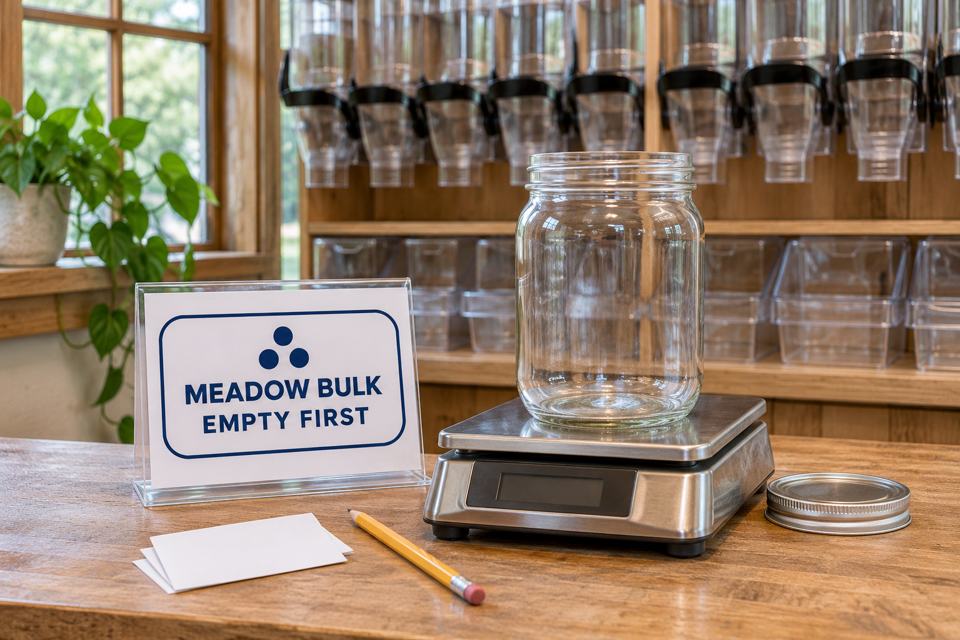
Keep the empty weight separate from the product code
Whole Foods Co-op in Duluth, Minnesota describes recording an empty container’s tare on a supplied sticker before filling, then recording the product’s PLU number. Its official bulk-shopping guide uses a three-digit PLU. That code format belongs to this operator; another store may use a different identifier or recording system.
For your section, define the minimum usable record with the checkout team:
- Tare: the accepted empty-container weight, recorded through the store’s method.
- Unit: the unit accompanying that weight, such as grams, rather than a bare number.
- Item identification: the current code from the selected product’s bin or approved record.
The unit is part of the value. “250” by itself leaves staff guessing what the shopper recorded. The item code performs a different job: it identifies the product, not the empty container or the quantity inside.
Confirm which components are included when the container is weighed, how the value is captured and where it remains available. A sign writer should not invent a tare-button sequence or label format without checking the actual scale and checkout workflow.
A complete draft for an empty-weight recording station
For a section where customers record empty weight and item code themselves, a draft for operator review could read:
Before you fill your container
- Start with your empty container. Ask a team member if you are unsure whether it is accepted for this product.
- Follow this station’s weighing instructions. Record the empty-container weight with its displayed unit using the provided method.
- Record the selected product’s item code from its bin. Keep the weight and code with the correct container through checkout.
- Missing a weight, unit or item code? Ask a team member for help before continuing.
This draft still needs the store’s real station instructions, recording method and available help arrangement. If an employee performs the weighing, rewrite the first action to send customers to that employee. If the system captures tare electronically, describe that route rather than requiring a handwritten number the till does not use.
Keep the notice close to the decision. A message at checkout cannot prevent a customer from filling an unweighed jar earlier. Use the same terms at the station and register so “empty weight,” “tare” and the system’s actual field refer to the same value.
A worked example: 850 g total is not 850 g of food
Arithmetic example only: an empty jar alone weighs 250 g. Later, the same jar alone with its contents weighs 850 g. The lid is excluded from both assumed readings. These are invented numbers and a fixed component configuration, not measurements from the pictured scale or instructions for a particular store.
Empty jar
250 g
Tare in this example.
Jar plus contents
850 g
Gross weight in this example.
Contents alone
600 g
850 g − 250 g = 600 g.
In kilograms, the same calculation is 0.850 kg − 0.250 kg = 0.600 kg. Keep the units consistent before subtracting. Do not subtract a number recorded in grams directly from a kilogram reading as though both bare numbers used the same unit.
The same components must be accounted for in the empty and filled measurements. Adding or removing a lid or another component changes what the readings represent. Your operator’s method must specify how those parts are handled; the arithmetic above does not establish that method.
Also confirm whether the scale or checkout record already accounts for tare. If a recorded value is already the net contents weight, deducting the tare again would be a second subtraction. Staff should use the approved system process rather than asking shoppers to calculate a charge independently.
Give missing information an honest next step
Filled jar, no empty-weight record: ask staff to use the store’s existing exception process. Do not guess from the filled weight, copy a different jar’s value or invent a tare to complete the label.
Weight written without a unit: resolve the record with staff. Do not assume the unit just because the number looks plausible. A notice that includes “with its displayed unit” makes this omission visible before filling.
Unreadable or missing item code: identify the selected product through the store’s approved route. A similar-looking food or an old code on the container is not enough to establish the current item.
A colleague can review the draft using an empty-container scenario and a deliberately incomplete record. Ask them to explain the first action and where they would get help. Record this as an internal content check, not a measured reduction in checkout errors or waiting time.
Keep other service instructions separate
If the same shop also offers order collection, write separate pickup arrival instructions. A bulk customer preparing an empty jar and a customer collecting a packed order have different first actions. One generic “Start here” message can leave both uncertain.
Print the stable instruction; preserve the changing transaction record
An existing notice holder and ordinary recording materials may be enough. If a dry indoor station needs a stable identifier, custom labels and stickers can carry an approved short message. Keep changing weights and product codes in the store’s actual transaction system.
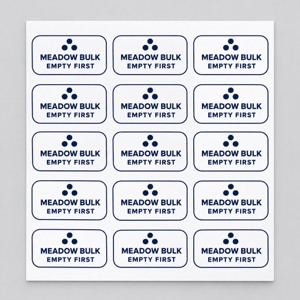
Optional paper label for station identification
The custom product labels page offers rounded rectangles and white paper for indoor, dry uses. Confirm the dimensions and surface suitability. This example does not establish that the label is the correct writable, removable or container-contact format for your service.
AI artwork concept. Sheet count is illustrative; ordering quantity does not establish individual label yield. Click the small image for the actual product.
Check the real process before approving the message
Have the bulk and checkout teams confirm that the notice produces the record they need. Retain suitable existing materials. If a new printed identifier has a clear job, compare its configuration at DecentCustom after the wording and placement are settled.