HOUSEHOLD REFILL OPERATIONS · TARE AND SYSTEM RECORDS
Explain who records the empty weight, how the container stays linked to that record and where customers should ask for help. Keep decorative printing out of the system’s job.
Write the instruction around the container’s actual record
Tare is the empty-container weight used in the shop’s weighing process. A clear refill instruction explains who establishes that record before filling and how staff connect it to the correct container afterward. If RFID is part of the process, an ordinary printed sticker cannot be assumed to perform the same function.
Begin with the operator’s actual workflow. Establish the customer action, employee action and system action separately before designing a notice or buying labels.
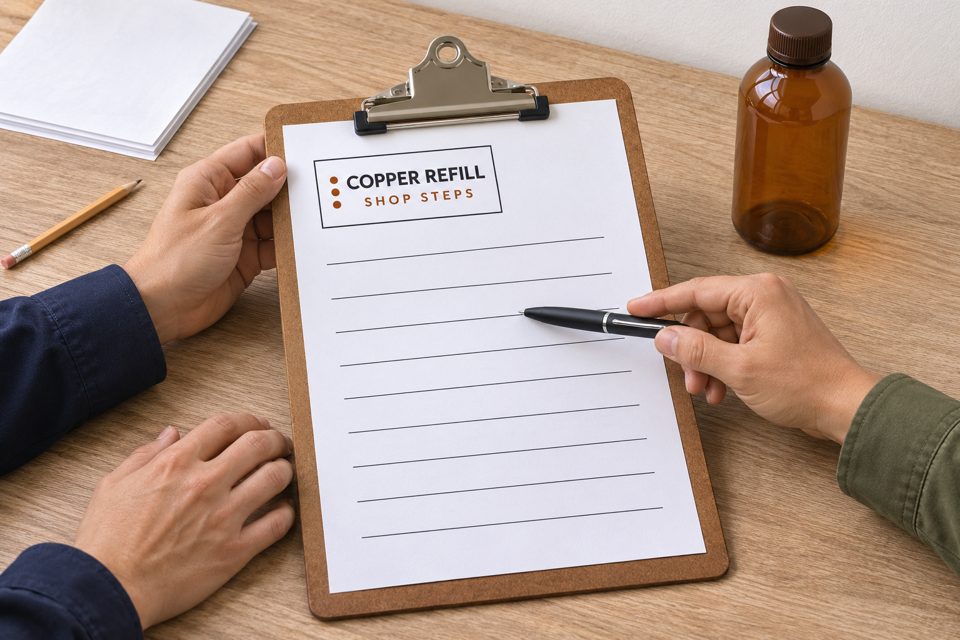
Separate the printed message, electronic identifier and weight record
GS1’s RFID overview describes identification through radio waves, commonly using a chip and antenna with a reader passing information to a computer. A printed name or an RFID-looking symbol does not establish that electronic function.
That overview does not tell you how a particular shop stores or retrieves tare. The weight might be associated with an identifier through its system; do not assume it is stored directly on the tag or that every reader works with every tag.
- Printed instruction
- Tells the customer where to start, what to keep with the container and whom to ask. It needs readable, current wording.
- System tag or identifier
- Performs the identification role specified by the operator’s equipment and process. Staff need the correct container association; visual similarity is not sufficient.
- Tare and transaction record
- Supplies the verified information used by the shop’s weighing and checkout process. Confirm how the recorded empty weight is applied, rather than adding a second manual deduction.
Not every refill service uses RFID. BLOOM’s published refill steps describe recording empty weight, filling and weighing again. Use that as a separate named process example, without adding an RFID step it does not state.
Confirm who does each action before approving a sign
First check first-visit container preparation. Acceptance of the vessel and product still comes before the weighing and identification sequence.
For a shop that uses staff-controlled tags, a completed planning record might read as follows. This is a fictional Copper Refill workflow for review, not a description of a retailer’s current system:
- Customer: brings the accepted empty container to the designated point and explains any change to the container or closure.
- Employee: establishes the empty-weight record using the shop’s actual procedure and confirms the required tag or identifier is associated with that container.
- Customer: follows the approved filling process and keeps the identifier with the same container.
- Checkout employee and system: retrieve the relevant record and apply it through the normal checkout process. Any mismatch goes through the operator’s exception procedure.
The operator must fill in its actual staff responsibilities and starting point. An information designer should not invent reader controls, programming steps, data fields or a manual override to make the sign look complete.
A short instruction customers can follow
For the fictional staff-controlled workflow above, this is a complete draft for operator review:
Confirm the exact point, responsible role and exception contact before using the draft. A shop with a different process needs different wording. Keep product identification, use instructions and any required safety information available; a new branded notice does not replace them.
Do not invite customers to copy a weight from another bottle, move a tag between containers or apply a printed substitute. Those actions can break the relationship the process is trying to preserve.
Work through an unreadable tag before adding product
Fictional exception example: A customer presents one accepted empty bottle. Its attached system tag cannot be read, and the employee has not verified the associated tare record. No product has been added.
Completed exception note for the example
Object: one empty bottle with its existing tag still attached.
Problem: tag unreadable; associated record not verified.
Immediate decision: pause before filling and refer to the responsible refill employee.
Permitted next step: follow the operator’s documented recovery or re-recording procedure for this container.
Still unresolved: whether the record can be recovered or must be established again through that procedure.
The useful outcome is a controlled next action, not a guessed tare. If the actual procedure cannot establish the record, the refill remains on hold. Do not solve the problem with a logo sticker, a copied identifier or an imagined fallback button.
A changed container or closure raises a related question even when a tag still reads. Tell staff what changed so they can confirm that the stored record still applies to the actual weighing arrangement. A successful read alone does not validate the weight.
At checkout, confirm how the actual system applies tare. If it already provides the relevant net-product weight, subtracting the container weight again would repeat the deduction. This guide supplies no pricing override or device instructions.
Use ordinary printed labels for ordinary information
A plain updated notice may cover the instruction need. If a dry staff clipboard or information holder needs a store identifier, compare custom labels and stickers for that limited purpose.
Printed instruction-header concept
The custom product labels page offers material, shape and finish choices. Its white-paper option is described for dry indoor use. The Copper artwork is a static identity header, separate from the editable instruction text.
No RFID chip, encoding, reader compatibility, waterproofing or chemical resistance is established by the pictured sheet. Confirm the selected configuration and finished-label quantity before ordering. Keep functional tags and required product information under the operator’s existing process.
Approve the workflow and wording together
Ask the system owner and the people handling refills to review the customer steps, record association, changed-container question and exception route. Keep the current version where staff can update it. Once a genuine printing need remains, compare the relevant options at DecentCustom.
Keeping a working system and improving its explanation is a valid outcome. A new visual identity should leave the actual record, equipment and staff responsibilities clear.
Prepared by DecentCustom from GS1’s overview, BLOOM’s published steps and current catalog, reviewed November 6, 2026. Earlier research captured a Mission Refill staff-tare/RFID description on November 2; its FAQ now redirects to a password page, so that history is not treated as a current service promise or equipment specification. Copper Refill, the workflow, exception and AI artwork are fictional. No system, transaction or physical label was tested.