Inventory the clinic’s approved forms, portal links and signs before commissioning another handout. The missing piece may be a clear route to existing information, rather than a new document.

Start with what the clinic already provides
List the current form directory, appointment messages, portal instructions, arrival directions and reception signs. For each, record its purpose, approved source, version or review date, owner, delivery route and the visitor action it supports. A document that exists but is hard to find creates a different problem from information that does not exist.
UW Medicine’s patient-form directory says listed forms may apply to a visit and should be completed and returned as requested by the care team. A directory is therefore not a universal packet that every visitor should receive. Check which resource the actual clinic asks someone to use.
Seattle Children’s clinic-visit information describes pre-visit questionnaires that may be sent through MyChart and others completed in clinic. It also describes an existing app with wayfinding information. These provider-specific examples show why an inventory should include digital resources and instructions about when a document is used.
Choose reuse, repair, update or add
| Finding | Useful action | How to know the task is finished |
|---|---|---|
| Current resource already answers the question | Reuse it | The approved version is available through the intended route |
| The resource is correct but its link or label is unclear | Repair the route | A colleague can reach the correct resource from the revised instruction |
| Existing explanation is outdated | Ask its owner to update it | The approved revision replaces conflicting instructions |
| A stable public information gap remains | Consider a limited new pointer | Its wording answers that gap without duplicating the underlying form |
Do not treat a branding project as permission to redesign clinical, consent or authorization documents. Keep the clinic’s document owner responsible for those materials. An ordinary resource card can point to an approved source without collecting information or reproducing its contents.
Check the route in the way it will actually be used. A printed web address needs to reach the intended public page. A portal instruction should say when the person needs their existing account and where the clinic provides help. Looking at a public login page does not verify what an individual will see inside an account.
A completed inventory that avoids a duplicate form
Fictional worked example. Harbornote’s administrator is asked to order a new branded “first visit pack.” Before commissioning artwork, the administrator checks four existing resources with their owners.
The approved form is already supplied through the clinic’s normal process, so it is retained. The public visit page is current, but a reception instruction uses an old label, so the owner corrects that label. Directions are already included in the appointment message, so no new map is commissioned. One gap remains: the desk needs a short explanation that forms are supplied according to the actual visit.
The owner approves this limited public message:
Visit resources
Please follow the form instructions provided for your visit. Some materials may be supplied before arrival and others at the clinic. Ask reception if you need help finding the resource you were asked to use.
A colleague follows the revised reception instruction to the correct public page and checks the paper proof against the approved message. The inventory records who owns the pointer and when to review it. The original form remains in its existing process. The result is one corrected route and one limited explanation, not a second competing intake system.
Print only the information that has a clear use
If a corrected screen, existing appointment message or ordinary desk note solves the problem, stop there. A custom handout needs a reason someone will take it away and use it. Keep changing account instructions and individual visit information in the clinic’s current channels.
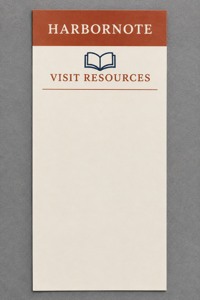
A narrow paper information card
These custom rack cards for visit resources list a 3.74 × 8.27-inch paper format, default 14pt stock and a current minimum of 50. Confirm the actual need for that quantity before ordering.
Compare custom rack cards for information handouts, then bring the approved copy and placement requirements to DecentCustom. The pictured card is a flat paper concept; a display holder is separate.
AI artwork illustration, not a printed proof, patient form or evidence of a secure data-collection process.
Verify the route, not just the artwork
Ask a colleague to find the named resource using the finished instruction. Confirm that it is the version the owner intended and that the next action is clear. If the source or delivery route is unresolved, keep the proposed handout pending rather than filling the gap with assumed instructions.
Use the clinic reception handoff guide when the missing information is who handles a question. Use the appointment and arrival-time guide when it concerns how a visit is arranged. Different information problems need different fixes.
Selected public provider information and current product fields reviewed November 14, 2026. The inventory method and Harbornote example are editorial guidance; linked form contents, individual portal accounts and clinical or legal suitability were not assessed.