Community general-store information
Help a visitor choose the right service before asking them to order, call or travel. A shared storefront does not mean one ordering process or one set of hours.
Organize grocery, café and catering information around the visitor’s next task. Someone checking where to buy groceries, someone choosing lunch today and someone planning an event need different answers. Give each a clear entry point with a truthful action label and the conditions that affect that service.
A single “Shop now” button can promise more than the store actually offers. If groceries are sold in person, the café takes telephone orders and catering begins with a discussion, the page should make those differences easy to understand.
Use an actual mixed-store example without copying its process
Saxapahaw General Store’s website, reviewed November 4, 2026, presents groceries alongside prepared meals and catering. It describes a particular North Carolina general store, not a standard operating model for every corner shop.
Its restaurant menu page distinguishes meal periods, a daily kitchen pause and limited-menu periods. It also advises calling about current hours and wait times because staffing and local events can affect service. Seeing that a business is open does not establish that every meal is being served.
The separate catering page describes pickup, delivery and on-site service, with most pickup orders requiring 48 hours’ notice. It offers a contact route for inquiries. We have not placed an order or tested its payment and acceptance process; a page describing catering is not proof that a visitor can instantly book every event online.
These published distinctions support separating the information. They do not establish that the store’s visitors are confused or that a particular layout will improve sales. For your own store, start by listing the service paths that actually exist.
Give each entry point an action the store can fulfill
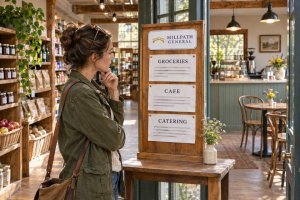
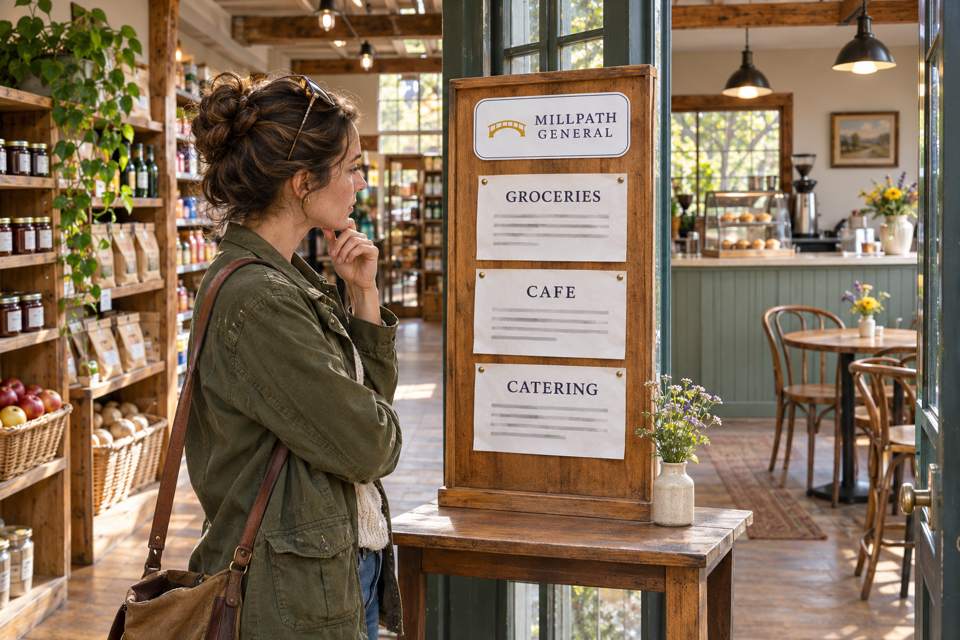
Fictional example: Millpath General sells groceries in the shop, offers a lunch menu with telephone ordering during its lunch service, and handles catering through an initial conversation. The following are draft website cards for that setup. The action labels describe destinations; they are not working links or claims about Saxapahaw.
Visitor task: buy groceries
Visit the grocery store
Browse pantry goods and everyday provisions in the shop. Check the store’s visiting information before you travel. For a specific item, contact the store to check current availability.
Action label: See grocery visiting information.
Destination: the current location, store hours and genuine contact route. Do not send this visitor to an online checkout that does not exist.
Visitor task: choose a meal today
Explore today’s café service
View the menu and the meal periods it applies to. For a telephone order, contact the café during its stated service hours to confirm availability and the next step.
Action label: View the café menu and hours.
Destination: the applicable menu, kitchen hours and actual ordering method. Viewing a menu does not place an order.
Visitor task: plan food for an event
Ask about catering
Tell the catering team your event date, estimated group size, location and preferred service. The team will discuss the options it can offer and the steps needed to confirm an arrangement.
Action label: Contact the catering team.
Destination: the real inquiry route and a clear description of what happens next. An inquiry does not reserve a date or confirm an order.
Change those cards to match your actual channels. If you offer online grocery ordering or a café checkout, link to the correct service and describe its real availability. If one employee answers every inquiry, the contact can be shared while the visitor’s purpose and next step remain distinct.
Do not make visitors infer catering from a general meal menu. Conversely, someone who wants one lunch should not need to begin an event inquiry. Keep the main service choices together near the point where the visitor decides what they need.
A store-open message needs a service-specific companion
In the fictional Millpath setup, the grocery shop is open until 7 p.m. on Tuesday, while lunch service runs from 11 a.m. to 2 p.m. A visitor checking the page at 2:30 p.m. can still visit for groceries. That does not make lunch available.
Example message for that situation
Groceries: the shop is open until 7 p.m. today.
Café lunch: lunch service has ended for today. You can still view the menu; check the next published lunch-service time before planning a meal visit.
Catering: use the catering contact route for an event inquiry. Availability and acceptance need to be confirmed through that process.
The example does not assume that catering staff answer immediately whenever the grocery shop is open. Publish the actual contact hours or response expectation if you can support it. Do not invent an instant response or a fixed turnaround to make the card look complete.
Keep store hours, kitchen hours and the menu period visibly distinct. Where information is maintained manually, use dated service notices and a clear contact route rather than displaying an “Open now” status your team cannot keep accurate.
Give a service change a clear maintenance handoff
A useful layout can become misleading when only one copy is updated. Suppose the lunch finish time changes from 2 p.m. to 1:30 p.m. in this example. The person responsible for the café verifies the new time; the person maintaining the website updates the café entry card and menu-hours information together. The entrance notice and the employee answering calls need the same current instruction.
A short record for the next editor
- Service: café lunch, not the whole store.
- Changed fact: the verified lunch finish time and the date it takes effect.
- Places to update: service card, menu-hours section, current paper notice and staff explanation.
- Who confirms it: the role responsible for that café service.
- Review trigger: the effective date, a temporary-service change or a return to the ordinary schedule.
That is an editorial handoff, not evidence that an update has happened. Check the actual destinations and notices after the edit. A consistent logo will not correct an old service time.
Try three tasks before adding more printed materials
Ask a colleague unfamiliar with the draft to use it for these tasks: find out how to visit for groceries; choose a lunch path at 2:30 p.m. under the example schedule; and discover what is needed to ask about catering for a future event. Give them the same page and notices a visitor would see.
Observe whether they choose the appropriate entry, find the relevant time and explain whether they have viewed information, made an inquiry or completed an actual order. Record any place where they have to guess. This internal walkthrough is different from a real customer usability study; neither the illustration nor this article demonstrates a measured result.
Once the visitor has selected a service, use the actual arrival instructions for it. Our guide to pickup and refill instructions covers that separate stage. Keep the first service choice concise instead of putting an entire handoff procedure into every card.
Keep stable identity separate from changing service details
Existing sign holders, a maintained web page and replaceable paper notices may be enough. Consider custom labels and stickers for a stable store mark on a suitable surface. Keep temporary hours, contact details under review and service-status messages easy to change.
custom product labels
The current SKU decentcustom-st-000009 page lists rounded-rectangle shapes, material and finish choices, and customizable sizes. Its white-paper description is for indoor, dry use. Confirm the selected surface, size and configuration; the illustrated board does not establish the dimensions of a label order.
Quantity starts at 1 ordering unit; the package refers to sheets without establishing labels per sheet. Confirm the finished-label quantity. A printed store mark is not an online ordering system, an editable status display or a guaranteed removable label.
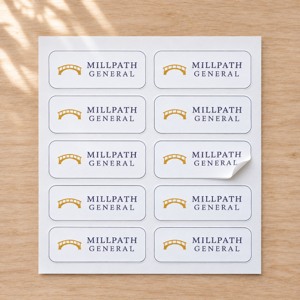
AI artwork concept with a fictional Millpath General mark matching the scene. The pictured count and proportions are illustrative. Click the small image for the actual product.
At DecentCustom, review the actual configuration and design preview if a stable custom item is needed. The main result to check is whether visitors can choose the right service and understand their next step.