Convenience-store food pickup
A pickup sign can identify the right place. The order record must still identify the right order and every part of it.
Give the pickup sign, order identifier and completion check different jobs. The sign tells customers where to start. The store’s existing order record connects them with the correct order. A separate bag-and-drink check establishes whether the complete order is ready to hand over.
This matters when a food bag and drinks come from different work areas. A visible bag may be the right order, a partial order or somebody else’s order with a similar name. Making “ONLINE PICKUP” larger will not resolve all three situations.
Choose one clear first stop, even when preparation is split
Ask the person responsible for pickup to describe the actual customer route. Where should someone who has already ordered go first? Who can find the record if food or drinks are not visible? Settle those questions before printing directions.
The distinction is practical, not just terminology. Wawa’s own app description offers in-store pickup, curbside pickup and delivery. Those are different collection methods; that description does not establish a single shelf procedure for every order.
In one customer’s account of collecting breakfast, the reported stopping points varied between the pickup shelf, beverage area and register. Another pickup discussion describes uncertainty about where an order is and when to ask. These older, unverified personal accounts identify questions worth checking in your store. They do not establish current chain policy, how often the problem occurs or why a particular shift handled an order that way.
You do not necessarily need to move every preparation task to one counter. You need a route customers can understand and a responsible person who can resolve an incomplete set. For the separate work of aligning arrival messages with website, app or telephone orders, see pickup instructions by ordering channel.
Work through a partial bag-and-drink order
Illustrative setup: an independent convenience store uses a staffed pickup counter. Staff match the customer’s confirmation to the existing store record, then confirm the expected bag and drink components. The names, references and statuses below are invented; they are not Wawa order data or a tested store system.
| Record | Expected set | Current status | Next action |
|---|---|---|---|
| Morgan · W031 | 1 food bag and 2 drinks. | Food bag ready. One drink ready; the second drink is still pending. | Keep the order incomplete. The pickup employee checks with the beverage station and tells this customer what remains. |
| Morgan · W032 | 1 food bag; no drinks. | The expected food bag is ready. | Follow the store’s matching and release process for W032. Do not select it for W031 merely because both records say Morgan. |
When the W031 customer arrives, staff use the confirmation to find W031, rather than choosing the first bag marked Morgan. They can explain: “Your food bag is ready. We are still checking the second drink; please wait here while we finish your order.”
Once the responsible team has completed its normal checks, the pickup employee confirms one food bag and two drinks for W031 before recording the handoff. If both drinks travel in one holder, the record still needs to establish that there are two drinks in it. The holder is a carrying arrangement, not an additional ordered drink.
Use the identifier your own service actually supports. W031 and W032 only make this example easy to follow. If a platform confirmation and a store ticket use different references, staff need the established way to connect those records; printing a new number on a label does not create that connection.
A useful completion record
Keep the order reference, expected bags, expected drinks, outstanding component, responsible work area and handoff status together in the existing record. In the example, bags: 1 of 1; drinks: 1 of 2 explains the gap much better than a single “bag ready” note.
These are component counts. They do not replace the store’s existing checks that the packaged items belong to the order.
Let the public message explain the customer’s next action
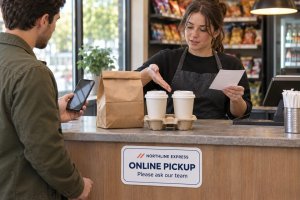
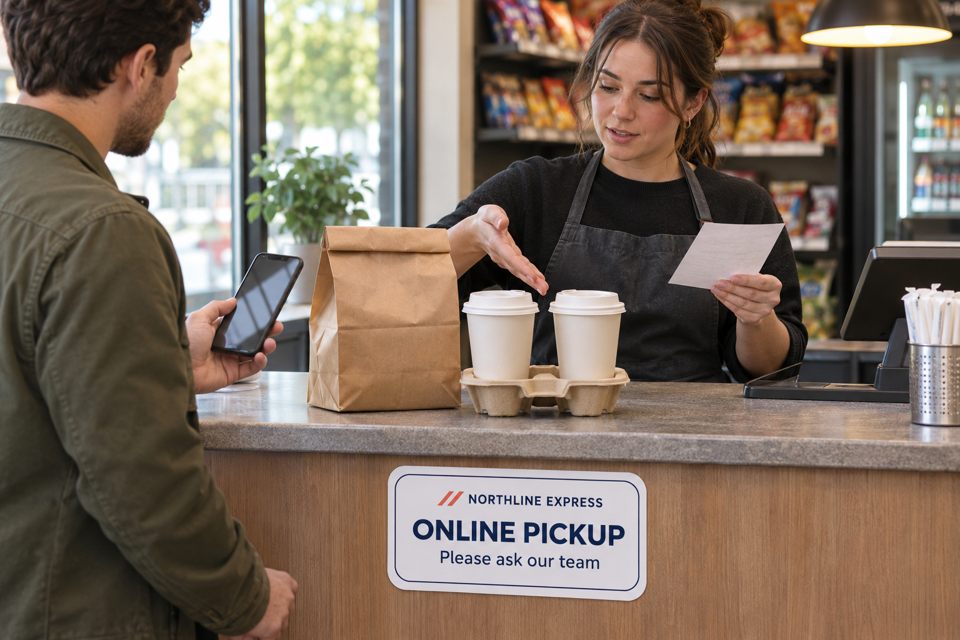
For the staffed-counter example, a short locator can read:
Near-counter label
ONLINE PICKUP
Please ask our team.
A nearby replaceable notice can provide the fuller instruction when it is needed:
Example counter wording
Have your order confirmation ready.
We’ll help you collect the bags and drinks in your order.
Missing something? Please ask us here before leaving.
This wording assumes someone at that counter can act on the request. If your store uses a self-service shelf, write its actual matching and help instructions instead. Do not put “ask here” on a normally unattended shelf.
Keep changing names, references and readiness details in the appropriate order record. The general locator does not need them. It also cannot establish that an order has been paid for or is ready to release; those decisions stay with the real system and the store’s process.
Try the failures that a neat sign can hide
Before approving artwork, use fictional orders or appropriately prepared internal records to run the following checks with someone who did not write the instructions. Treat this as an internal review unless actual target customers have taken part.
- One drink is pending. Can the reviewer identify the missing component and the person who will follow up? A bag at the counter should not silently become a completed order.
- Two orders share a first name. Can staff connect the confirmation to the correct record without guessing from the name or bag position?
- Nothing is visible. Does the customer have a clear, staffed help route? An absent bag might reflect an outstanding item or a record needing attention; the sign cannot diagnose it.
- The work area changes. Can the next employee see where the remaining drink or bag is being handled? Update the record and customer direction together if the handoff location changes.
Write down the failed step and the change it requires: clearer direction, a better record connection or an outstanding-component update. Recheck that same scenario after the change. This produces a concrete acceptance check without claiming a measured reduction in errors or waiting time.
Choose lasting print for the stable part of the message
An existing holder or ordinary paper notice may be enough while you refine the process. Compare custom labels and stickers when a stable cue belongs on a suitable surface near the handoff point. A small counter label is not automatically readable from the entrance.
custom product labels
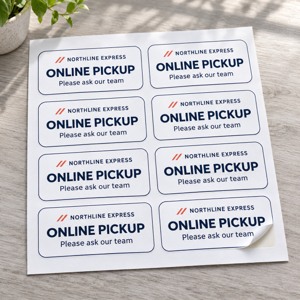
The current page for SKU decentcustom-st-000009 lists rounded-rectangle shapes, material and finish choices, and customizable sizes. Its white-paper description is for indoor, dry use. Select the size and material for the actual surface and reading distance.
The quantity field starts at 1 ordering unit; the package description refers to sheets without stating labels per sheet. Confirm the finished-label count for the selected configuration. This artwork concept is a stable locator, not a specification for variable order tickets or a printer-compatible label.
AI artwork concept with a fictional Northline Express mark. The pictured sheet count and scene dimensions are illustrative. Click the small image for the actual product page.
At DecentCustom, review the approved wording, selected configuration and design preview before ordering. Keep the final proof with the pickup instructions. The useful result is a first stop people can find and an order record the next employee can use—not simply a newly printed “Pickup” label.