FARM STORE COMMUNICATION · AVAILABILITY
Tell customers what is confirmed, when it was checked and what could change before they arrive. Keep harvest expectations separate from stock available to buy.
Answer “Can I buy it today?” before describing the season
A useful farm-store update names the item, the sales channel, its current status and the time that status was checked. “In season” describes a crop’s broader timing; it does not establish that the store has that crop available for a particular visit.
Keep an expected harvest visibly provisional until the responsible team confirms what can actually be offered. When a confirmed item sells out, change the current notice and address older messages that still suggest availability. A printed logo or seasonal photograph cannot do that work.

Give each availability statement a specific meaning
Granor’s farm-store FAQ describes weekly newsletter and social updates, with harvesting typically close to store day. It also directs questions to email because the farm has no phone. Choose the actual operator’s contact route rather than printing a generic “call us.”
Lansing’s CSA FAQ explains that its typical seasonal quantities vary. Those examples illustrate a season, rather than confirming a future visitor’s exact selection.
For your own store, define the following states in ordinary language:
- Expected harvest
- A crop is planned or anticipated. Timing and the amount that can be offered remain unconfirmed. State what will trigger the next update.
- Confirmed retail availability
- The responsible person has checked that the item can be offered through the named retail channel at the stated time. Explain any real limits; do not turn that check into a promise to hold an item.
- Sold out for the stated session
- The item is no longer being offered for that session. Leave the next availability unknown until someone can confirm it.
- Allocated to another route
- A crop may be assigned to a CSA share or another commitment. Its presence on the farm does not establish that walk-in customers can buy it.
The UW Farm CSA page describes an educational subscription program, separate from an ordinary retail stock list. Keep CSA pickup and exception instructions with the member route; a retail availability update should not silently change a subscriber’s collection arrangement.
A completed update for a fictional store
The following Fieldnote Farm example uses hypothetical items, roles and times. It is not a report of current stock at any real farm. All example times use Eastern Time on Saturday, November 14, 2026.
Retail availability · checked 9:00 a.m. ET
Where this applies: Today’s staffed Fieldnote farm-store retail session.
Carrots: Confirmed for retail sale at this check. Availability can change during the session; this notice does not reserve an item.
Spinach: An expected harvest, not yet confirmed for retail. The store lead will update this page after the harvest team reports what can be offered.
CSA collections: Follow your separate member notice. This retail list does not describe the contents of your share.
Before travelling for one particular item: Check this page’s latest update and use the contact method in the actual store’s contact section if you need clarification. A message awaiting a reply is not a reservation.
Before using this structure, the operator must supply the real page, contact method, session and person who can confirm availability. Put those details in the message customers receive; a template with missing destinations is not ready for publication.
The “checked” time tells the reader how old the observation is. It does not predict the remaining stock at arrival. If an item is reserved through a separate confirmed ordering service, explain that service’s actual terms there rather than suggesting every availability inquiry creates a hold.
Walk a sold-out item through every active message
Continue the fictional example. At 11:20 a.m. ET, the store lead confirms that carrots are sold out for that retail session. Spinach is still unconfirmed. A complete replacement notice would say:
Retail update · 11:20 a.m. ET
Carrots are now sold out for today’s Fieldnote farm-store retail session. Their next retail availability has not been confirmed. Spinach remains an expected harvest and is not confirmed for sale. This update replaces the 9:00 a.m. carrot availability statement; it does not change CSA collection instructions.
That message resolves the carrot question without inventing a restock time or declaring the whole store closed. It also keeps a different item’s uncertainty intact.
A completed change record
- Confirmed fact: The store lead confirms the carrot change with the responsible retail team at 11:20. A visitor’s photograph of an empty display alone does not establish the cause or a restock plan.
- Current page: The designated editor replaces the old carrot line, retains the date and time, and checks the public page after saving.
- In-store board: The duty employee replaces the retail carrot notice. CSA collection information stays in its separate location.
- Social message: The editor updates the existing post where editing is available. If its text cannot be replaced, publish a plainly dated correction through the store’s normal channel and link to the current page. Do not assume a comment reaches everyone who saw the original.
- Already-sent email: It cannot be silently rewritten in recipients’ inboxes. If a correction is needed, send a clearly identified update under the store’s actual communication permissions. Future emails should point to the current page for changes.
- Completion check: The editor opens the actual page and active posts; the employee reads the physical board. Record any channel that could not be corrected, who will handle it and what customers can consult meanwhile.
This is an editorial workflow, not an automated integration. Do not write “all channels updated” merely because one page was saved. At staff handoff, pass on the unresolved spinach status and the person responsible for its next confirmation.
Show what a customer should do with an older email
In a fictional reading example, Avery receives the morning email mentioning carrots, then sees the 11:20 sold-out update before leaving. Avery’s only reason for the trip was carrots. The current update supplies no confirmed next date, so Avery postpones that item-specific visit rather than assuming a later delivery.
If Avery would still shop for other items, that is a different decision. The carrot update alone does not prove another item is available, nor does it announce that the store is closed. Check the applicable current information or ask through the operator’s published route.
No customer test or message was performed for this article. To review your own wording, give a colleague the old email and current notice and ask which item is confirmed, when it was checked, and whether anything has been reserved. If the answers conflict with the intended meaning, correct the notices before treating the communication as finished.
Keep changing facts editable
A plain board, a dated web page and a clear staff handoff may be enough. If a stable folder identity is useful, compare custom labels and stickers for the location where they will actually be used. Keep harvest dates and availability on the replaceable information, rather than permanently printing a changing stock promise.
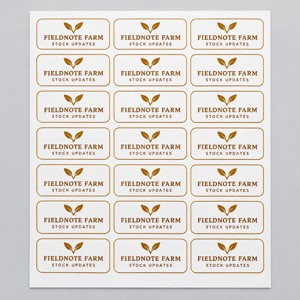
A dry indoor folder-header concept
The linked custom product labels page offers material, shape, size and finish choices. Its white-paper option is described for indoor use and dry products. The Fieldnote illustration uses that kind of paper identity on a dry folder, separate from produce.
The package is listed as 1 × (N) sheet; the page’s quantity of 1 does not establish a finished label count. Confirm the selected configuration, labels per sheet, artwork and intended surface before ordering.
This illustration does not establish water resistance, removability, food-contact suitability or automatic stock updates. Keep a working existing system if it already identifies the information clearly.
Finish with a current answer and an owner for the next change
Before closing the update, verify the item, route, status, check time, customer next step and responsible person. A pending harvest should stay pending until the relevant fact changes.
If printed identification would serve an actual need, explore suitable options at DecentCustom. The useful outcome is a customer who can make a better-informed visit decision; new printing is optional.
Prepared by DecentCustom from the linked operators’ pages, original industry research and current catalog, reviewed November 7, 2026. Fieldnote Farm, Avery, stock statements and update records are fictional examples. No real inventory, harvest forecast, customer test or messaging integration was verified.