Keep Christmas store hours consistent by approving one schedule for the correct location and dates, then checking the customer-facing version on your website, business listing, printed notices and pickup messages. State any service cutoff separately. A store can be open after its last pickup slot has finished.
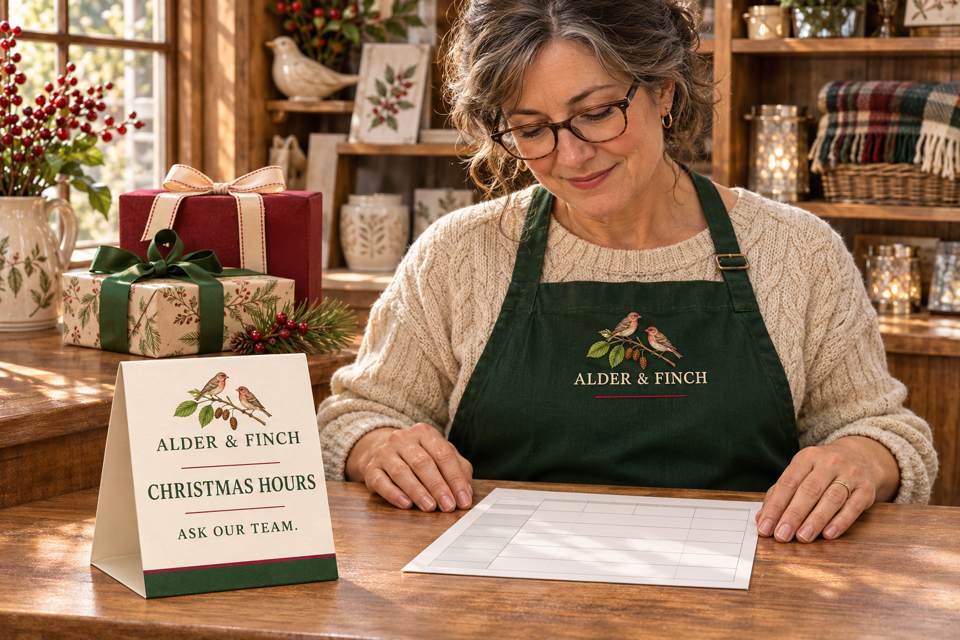
Confirm the store's own schedule before making the graphic
Christmas Day falls on Friday, December 25, 2026, as shown in the US Office of Personnel Management's 2026 calendar. That calendar concerns federal holidays. It does not determine when a private shop opens, closes or stops accepting a particular service.
Ask the responsible manager to confirm each affected date, location and time zone. Include the days immediately around Christmas if they change too. Then distinguish the shop's opening hours from gift-wrapping availability, pickup appointments, local delivery and online ordering. An available checkout page does not establish that staff can fulfill an order before closing.
NRF's October 2026 holiday-shopping report discusses consumers' online and in-store plans. It provides seasonal context for checking both channels, not a forecast of your store's orders or a reason to invent longer opening hours.
Keep a dated source note with the approving manager, schedule version and service exceptions. Marketing can then reproduce a decision that exists, instead of turning a calendar icon or last year's sign into an operating commitment.
A completed example: store hours and pickup hours differ
Fictional teaching example: Alder & Finch has one downtown shop using Pacific Time. Its manager approves schedule H26-01 below. The hours, location description and pickup rule are invented for this example, not recommended hours for other shops.
| Date | Shop opening hours | Service detail |
|---|---|---|
| Thursday, December 24, 2026 | 10:00 a.m.–4:00 p.m., Pacific Time | Confirmed pickups end at 3:00 p.m. No additional pickup slot is implied by the remaining shopping hour. |
| Friday, December 25, 2026 | Closed | No in-store pickup. |
| Saturday, December 26, 2026 | 11:00 a.m.–5:00 p.m., Pacific Time | Pickup follows the time confirmed for the individual order. |
A customer-facing version could read:
Alder & Finch — Downtown Shop
Christmas 2026 Hours · Pacific Time
December 24: 10 a.m.–4 p.m.
December 25: Closed.
December 26: 11 a.m.–5 p.m.
December 24 confirmed pickups finish at 3 p.m. Please use the pickup time confirmed for your order; shop opening hours do not create an additional appointment.
The manager also checks what the actual online order flow will say. If the checkout accepts requests while the shop is closed, it needs an accurate next-step message that reflects the shop's real process. Do not copy an earlier pickup promise into an automated confirmation just because the website remains accessible.
Check what the customer sees in each place
Assign one update owner and compare each channel with H26-01. “Sent to the designer” and “saved in an editor” are intermediate states. Finish the check at the visible website, listing or physical notice.
- Own website: put the dated exception hours beside the correct location and service information. View the page as a customer on a phone. Check whether a reusable footer, contact page or ordering page still shows conflicting holiday information.
- Google Business Profile: select the correct location and use its dated Special hours for a short holiday exception. Google's official Special hours guidance explains the current edit-and-save process. Confirm the relevant dates, opening and closing times or all-day closure, save, and check the public display. Special hours should not become an accidental permanent change to the weekly schedule.
- Printed notice: compare the actual date, year, location and time zone with the approved version before placing it. Remove a conflicting old holiday notice from that display position. Check the counter and entrance separately if both have notices.
- Pickup communication: review the message customers actually receive, including reusable templates. In this example, a December 24 pickup reminder must not offer a time after 3 p.m. merely because the shop closes at 4 p.m.
Google's help also distinguishes temporary holiday changes from other service-hour or longer-closure situations. Follow the option appropriate to the business's circumstances; do not force a different operating arrangement into the example above. No account or listing was changed to prepare this article.
If the manager changes a time, follow the change through
Suppose the fictional manager later approves closing the shop at 3 p.m. on December 24. Create H26-02, identify the changed field and check whether the existing pickup plan still works. The earlier 3 p.m. pickup finish must be reviewed with the person responsible for those appointments; it is not automatically a workable handoff at a locked door.
The update owner revises each affected channel and checks the result against H26-02. If customers already have confirmed arrangements that are affected, the shop needs its own appropriate follow-up process. A corrected sign alone does not communicate a changed appointment to someone who is not in the shop.
Record which version is visible in each channel and who checked it. When the exception period ends, check that obsolete holiday notices no longer mislead customers and that the current weekly hours and service messages are accurate. Do not replace a correct current schedule with last year's artwork.
Use print when the message and quantity justify it
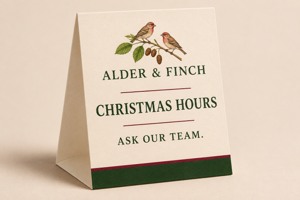
A counter reminder, with readable details nearby
DecentCustom's custom table tents are folded paper counter displays. The product lists a 5 × 7-inch size and 14pt stock. The pictured artwork is an AI concept, not an approved production sample or an outdoor sign.
At review, the product's quantity validation starts at 25. One counter does not automatically need a new 25-piece batch. An existing display with a replaceable insert may serve the task better if hours are still changing.
Compare table tent formats after the schedule is confirmed. For a brief to DecentCustom, state the intended viewing position, final date and location wording, required quantity and artwork approver. Verify legibility in the actual layout and confirm current production and delivery terms before relying on a print order.
The work is complete when the approved hours and service exceptions agree in the places your customers use. A festive design can attract attention to the information; it cannot make an unconfirmed schedule accurate.
Reviewed November 8, 2026. Alder & Finch, its schedule versions and operating hours are fictional. The dates use the 2026 calendar; the shop decisions are examples. No real store hours, business listing, customer appointment or order was changed.