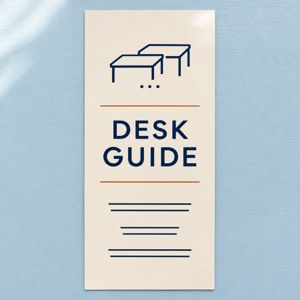
Choose reception materials around the actual job and the permission for the intended space. A team page, a shared address or an available wall is not a purchasing brief. Identify who answers the visitor’s question, who approves the information and who controls its placement before choosing an item.
Start by helping reception separate the service and joining route. Then assign each part of the explanation to its real owner rather than expecting every person at the desk to answer every question.
AI illustration of a desk-material planning discussion. The people, room and Desk Guide artwork are fictional; no real staff roster, site approval or installed display is shown.
Confirm functions instead of counting public job titles
One person can perform several functions. White Moth Studio’s About page identifies its owner as producer and photographer, while another section gives playful business titles to cats. Those descriptions should not be converted into an employee count or an apparel order.
A public biography can help identify a question to ask. It is not a verified roster of current staff, contractors or volunteers. Confirm the people who will actually use the material and the work each person performs.
Likewise, Seattle Insight’s center page distinguishes contacts for registration changes, donations and volunteering. It is an example of different questions having different owners, not evidence that all those functions require matching reception uniforms or printed packs.
Task
Owner to confirm
Material’s limited job
Explain a service
The provider responsible for that offer.
Point to the approved explanation and its question route.
Change a registration
The person maintaining that registration process.
Identify the correct existing channel.
Place a reception display
The person authorized for the specific space.
Stay within the approved location and arrangement.
Buy and replenish an item
The authorized buyer and stock owner.
Meet a confirmed task, quantity and replacement responsibility.
Keep ordinary presentation separate from professional requirements. A logo or an ordinary reception shirt does not establish someone’s qualification, authority or protective role. Let the relevant provider define any professional-use requirements independently.
Confirm the specific placement, not just the address
Seattle Insight’s page describes a particular entrance within a shared building and points visitors to the activity calendar. That helps illustrate why the host, activity and arrival route matter together. It does not grant another organization permission to place signs at the building.
For a proposed display, record the location, available footprint, method of placement, approving person and removal responsibility. Confirm the current wording and logo authority as well. Approval for an indoor reception reference should not silently become approval for a door, window or shared corridor display.
Consider how visitors may actually use the information. Salt Spa Wellness’s FAQ describes phone storage and encourages time away from devices in its setting. That is a reason to check the relevant area before relying on scan-only information. A readable resource address and question contact can accompany an approved digital route.
Leave private addresses, access codes and individual visit details in the provider’s established confirmation process. A public paper reference needs only the information its owner has approved for that use.
Worked example: complete a desk-only materials brief
Fictional planning example: independent providers share a reception area. A coordinator proposes a building-wide sign pack and matching shirts based on a public team page. The actual visitor task is narrower: find the existing page for a scheduled community activity.
Information owner: the activity coordinator approves the page and question contact. Service-specific questions still go to the relevant provider. Site permission: the fictional host approves an existing removable paper reference at the reception desk for the named activity. Doors, windows and shared corridors are outside that approval. Content: identify the activity, maintained page and correct question route. Keep access details in the approved joining process. Placement check: reception checks the available desk space and the actual-size reference with the host before placing it. Maintenance: the coordinator checks the page when details change; reception replaces or removes the reference when instructed. Purchase decision: retain the existing email and paper reference. No building-wide sign pack or new clothing order is needed for this task.
To finish, the coordinator and host review the same brief. A colleague follows the reference to the current activity page and checks which person handles the next question. This closes the planning example without pretending that a real venue has granted permission or that a purchasing outcome has been measured.
Keep the buying decision tied to the remaining task
If a new item is still needed, confirm the actual buyer, user, content owner and site approver. Check the existing supply, quantity, artwork, physical dimensions and receiving arrangements before ordering. If ordinary clothing is proposed, use a confirmed wearer and size list rather than a directory or a count of job titles.
Reuse the maintained page, current message or existing approved display when it already solves the problem. A missing permission or unidentified owner is a reason to hold the purchase and resolve that field, not to fill the gap with a larger generic package.
The linked SKU is 3.74 × 8.27 inches, with a default 14pt glossy option and a starting quantity of 50. A holder is separate; check its actual fit and the available space. Review an actual-size proof and rack card formats and options when preparing approved artwork with DecentCustom.
The Desk Guide image is an AI design concept, not a staff credential, access pass, professional-use approval or real customer order. Keep the existing reference when another printed item would add no useful function.
Sources and linked SKU reviewed November 14, 2026. Provider examples retain their own scope. The desk-only brief is fictional; actual roles, staffing, site and brand permissions, fit and visitor or business outcomes require local confirmation.