A QR code that opens a page has only passed the first check. Confirm that the destination belongs to the intended drive, matches the printed instructions and offers a usable route for someone who cannot scan.
Start with the donor’s task, not the code
For a National Blood Donor Month campaign, first decide whether you are sharing general information or directing people to a confirmed local drive. If that decision is still pending, finish the host brief before promoting a drive. This guide starts after the host and collecting partner have agreed what the announcement may say.
Ask the collecting partner for the public destination and any instructions that must accompany it. Do not copy the address from whichever browser tab happens to be open. A staff planning page, an account page and an event booking route can serve different purposes.
The American Red Cross public donation page, for example, separates appointment search using a ZIP or sponsor code, donor account access and RapidPass. Those are distinct routes; this is not a claim that all collectors use the same system. A general search page also does not establish availability at your event.
Use four separate release checks
The following is an editorial proof-review worksheet for the host team. Record the actual observation, reviewer and version. An unresolved item means the proof needs another review; “the page opened” is not a substitute for the other answers.
| Check | What to compare | Hold the proof when… |
|---|---|---|
| Destination | The collecting partner’s approved public route and the destination opened from the proof | It opens a staff page, an old event or an unapproved destination |
| Event identity | The announced venue, date and year against the event information reached | The details disagree or the route only shows a general search without the required instructions |
| Equivalent route | The printed, typeable address and any approved search code against the scan route | A person who does not scan reaches different information or lacks necessary directions |
| Maintenance | The named update owner, final artwork version and response to a changed or closed event | No one knows which notices and stock need correction |
When reviewing the public route, avoid relying on a staff browser session that already has privileged access. Ask the partner how a new visitor should proceed. Stop before entering donor details or making a test reservation; a communications check should not create a booking or collect screening answers.
Provide a route for someone who does not scan
Section508.gov’s QR guidance discusses barriers to locating, positioning a device over and understanding a code. It recommends a clear purpose label and an adjacent text alternative, including a URL for printed material. Its federal accessibility context does not certify a private company’s artwork or make this checklist a legal compliance assessment.
Put the action in words: for example, “View this drive’s appointment options,” only when that is what the approved destination provides. Include the partner-approved typeable route and any necessary search instructions. For an email or web announcement, provide a descriptive clickable link so the reader does not need a second device to scan a code displayed on the first.
Review the final print proof at its intended size and location. Check the code using the devices and conditions relevant to the audience, and review the alternative route separately. This article supplies a review method, not a universal code size, scan-distance promise or certification.
A successful scan can still fail the review
Fictional worked example. Pathnote Community Center has an approved local-drive announcement. Its coordinator, Lena, reuses an earlier artwork file. In this invented review, the QR code opens the collector’s previous event page, while the newly typed instructions refer to the current drive. Both pages load. The proof fails because they describe different events.
Lena holds the print order and asks the collecting partner to reconfirm the current public route and accompanying instructions. She replaces the outdated code source in the working artwork, updates the typed alternative from the same approved brief and identifies the new proof as revision B. A colleague then checks the revised scan route and independently follows the typed instructions. In the example, both reach the intended current drive information.
Completed example review note — fictional
Proof: Pathnote visit-information card, revision B. Destination: current public route supplied by the collecting partner. Event identity: venue, date and year match the approved announcement. Alternative: typed route and accompanying instructions reach the same drive information. Reviewer: second communications colleague. Owner: Lena. Next review trigger: any event-detail change or notice that the booking route has closed. Release status: ready for the partner’s final artwork approval; not evidence of a donor reservation.
The earlier revision remains in the internal version history and is marked unsuitable for release. The example does not supply an actual event address, sponsor code or functional QR image. Its useful result is the resolved mismatch and a clear approval boundary.
Choose the material after the route is settled
The Red Cross coordinator toolkit lists publicity resources as well as a management portal. Ask your actual collecting partner what approved materials it already provides. Existing resources or a digital notice may cover the need without another order.
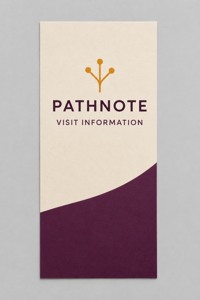
An optional paper information card
For a specific, approved handout use, these custom rack cards for approved visit instructions are listed at 3.74 × 8.27 inches, with standard 14pt stock as the default and a current quantity minimum of 50. The minimum does not establish how many your event needs.
Compare custom rack cards for community information, then bring the approved final artwork and intended use to DecentCustom. Ordering paper does not include a collector’s approval, a hosted booking page or validation of a QR destination.
AI artwork concept of a flat paper card; no holder or functional QR code is shown.
Decide what happens when the event changes
Assign one person to compare the updated partner information with the website notice, social posts, shared files and undistributed print stock. If the printed venue or date becomes wrong, a working link alone does not correct that wording. Hold affected stock and agree a corrected version rather than assuming a redirect repairs every claim.
After the drive, check whether the destination still describes the completed event accurately. Do not silently send an old event-specific invitation to an unrelated future drive. Close or replace the announcement with the partner’s approved message and retain the version record for the next review.
Public interfaces, guidance and product fields reviewed November 15, 2026. No local drive, available slot, working QR code, phone scan or assistive-technology test was verified for this article. It addresses communications and print review, not donation eligibility or medical procedures.