A photo display can introduce an energy facility without offering access to it. Confirm exactly what visitors may do before promoting a Clean Energy Day activity. An image of a powerplant, an interested group and a possible contact do not add up to a booked tour.
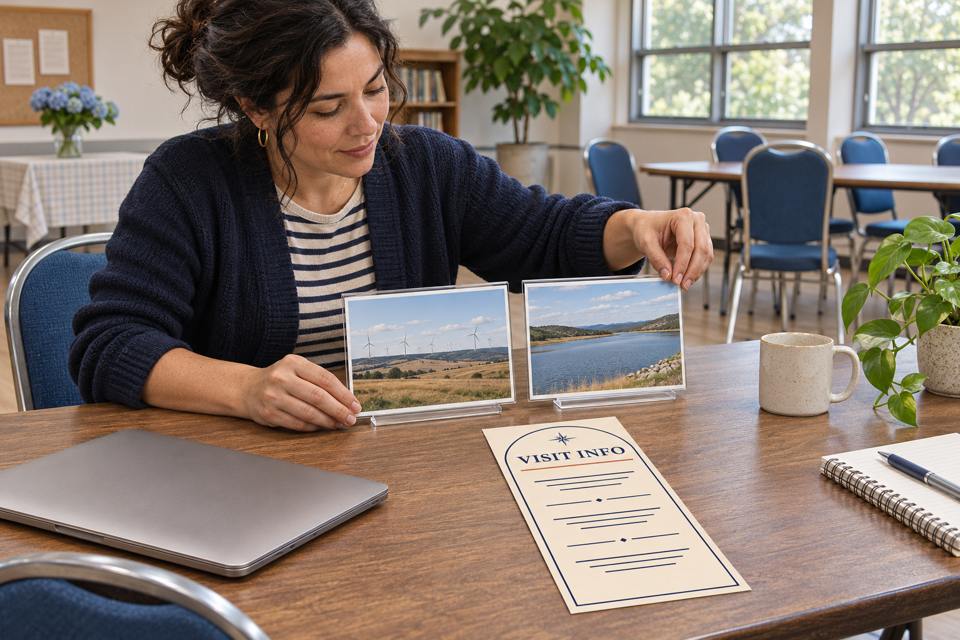
AI illustration of preparing a community display. The organizer, landscape images and Visit Info artwork are fictional; no facility access, booking or real customer event is shown.
Name the activity and its confirmation state
Use a description that matches the available experience. A tabletop display, a facilitated discussion and a facility visit each need their own explanation. If a visit is still being explored, keep that status visible rather than adding an impressive destination to an otherwise confirmed event invitation.
Activity
What the invitation can describe
What remains separate
Community display
The approved images, topic, local venue and discussion format.
Any access to the facility pictured.
Visit requested
A request or interest-gathering step, clearly labelled as unconfirmed.
A tour place, admission, date or route until the host confirms them.
Visit confirmed by host
The exact approved experience and joining instructions.
Other areas, activities or permissions outside that confirmation.
A visitor should be able to tell whether they are joining a local learning session, expressing interest or following a confirmed host process. Do not make one form silently perform all three jobs.
Let the facility own its access instructions
The Bonneville Power Administration’s Visiting BPA page illustrates why the host matters. Its headquarters and Ross office guidelines include advance contact and access approval, with advance notice for certain technology equipment. The page separately describes a visitor-center inquiry route. Those are instructions for specific BPA visits, not universal admission rules for every energy tour.
For your proposed visit, identify the actual host and ask which experience is available to your group. Obtain the current joining route, approval status, date, meeting point and participant instructions from that host. Confirm how visitors can ask about access needs, devices, photographs or other arrangements before sharing an invitation.
Keep those answers in the host-approved information. A community organizer can help people find the right instructions without inventing an entry rule or declaring an activity suitable for every person. Ordinary printed cards and branded clothing do not grant access or replace anything the site requires.
Worked example: a display with a separate visit inquiry
Fictional planning example: a neighborhood group has permission to hold an indoor energy-photo discussion. It has not secured a facility visit. Its organizer prepares the following communication brief before ordering materials.
Confirmed local offer: an indoor introduction using approved energy-resource images and a facilitated discussion. Invitation wording: “Join our community energy-photo discussion. This session takes place at our local meeting room and does not include a facility visit.” Possible future visit: interest may be recorded separately, with “not booked” beside the request. Owner: the organizer maintains the local session page; any future site host supplies its own access instructions. Before promotion: confirm the actual local date, venue permission, joining step, image rights and question contact. Before announcing a tour: receive the host’s confirmation and approved participant information. Publish that as a separate experience.
The brief lets the community session proceed on its own merits. It also gives an honest response to “Can we visit?” without promising that a future host will accept the group. If no visit becomes available, the display invitation remains accurate.
Keep changing access details in a maintained place
Facility operation and visitor access can have different statuses. In a July 28, 2026 Hoover Dam notice, the Bureau of Reclamation reported a temporary visitor closure while the dam and powerplant continued operating normally. This dated example does not establish the site’s status today; it shows why operating equipment is not proof of public access.
Before sending visit instructions, check the current host information and the confirmation for your group. Assign someone to communicate changes through the joining channel already used by participants. Keep a record of which version was shared and when it was checked.
Reuse the maintained event page, host instructions and existing email where they already answer the visitor’s question. Put changeable access details there rather than on a large stock of paper. Avoid handing out a generic admission-looking card that people could mistake for a host-issued credential.
Offer a reference route when paper is useful
If the local reception desk repeatedly shares the same maintained information page, custom rack cards for a maintained visitor-information route are one possible ordinary paper format. They should identify the resource and its owner, with no implication of admission or special access.
The linked SKU is 3.74 × 8.27 inches, with a default 14pt glossy option and a starting quantity of 50. A holder is separate. Review an actual-size proof and rack card formats and options when preparing approved artwork with DecentCustom.
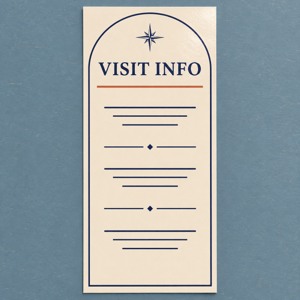
The Visit Info image is an AI design concept, not a ticket, official facility item, safety credential or environmental certification. Keep using existing digital instructions when another printed item would add no useful route.
Sources and linked SKU reviewed November 14, 2026. Facility examples retain their own scope and dates; no current tour availability is promised. The activity brief is fictional. Access arrangements, learning and business outcomes require separate confirmation.