Customer and user conferences • reviewed November 28, 2026
A useful user-conference plan starts with a work question you want to answer. Then check which session, demonstration or expert conversation can address it—and whether your registration actually includes that activity.
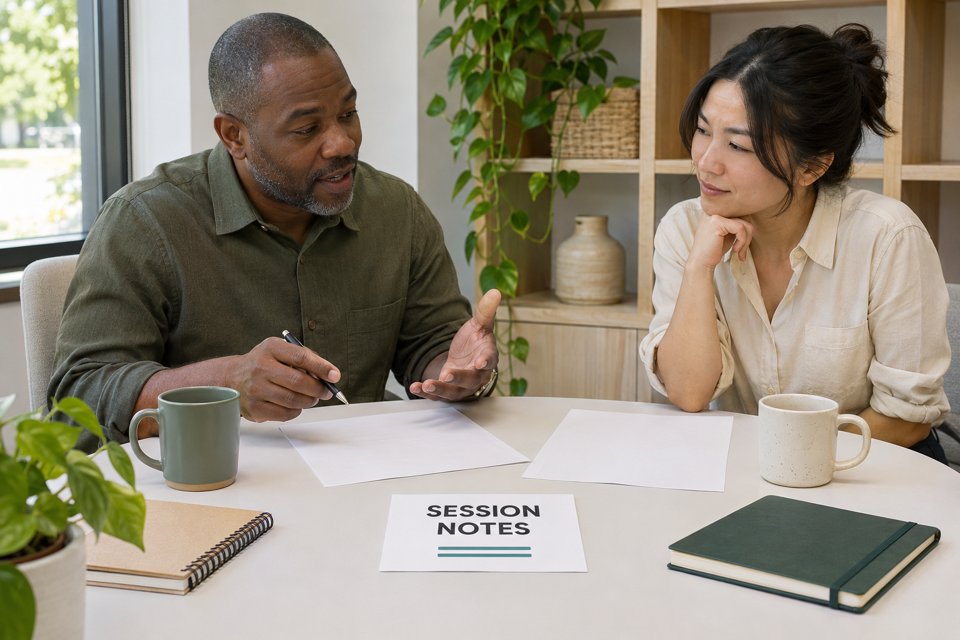
What do you want to bring back from the user conference?
Write down a question that matters to your actual work. “Learn about the product” is a starting point, but it is too broad to help you choose between a keynote, a technical session and a conversation with another user.
Try something you can discuss afterward: which part of a workflow needs clarification, what a new feature would need to do for your team, or how another organization handles a similar handoff. Agree with the person approving your attendance what would be useful to bring back. A useful answer can be a limitation or a reason not to adopt something.
If you are organizing the conference, help customers make that choice. Describe whom each session is for, what it covers and what it leaves out. A bag of merchandise cannot answer those questions for them.
Will it be useful, or mostly a sales presentation?
That is a reasonable question to ask before committing time and money. In a Reddit discussion about IT conferences, an attendee asks about conferences to request funding for. The discussion includes worries about marketing-heavy content, positive accounts of practical workshops and a follow-up asking how much learning a particular user conference really offers.
A first-time user-conference discussion in r/gis asks what to expect from the exhibit hall and whether conversations feel pressured. Replies value different things: user presentations, technical questions, meeting peers or time away from the exhibit area.
Those are self-reported experiences, not a verdict on every conference or evidence of a typical return on investment. They suggest a better question than “Is it worth it?”: “Which part of this program fits the problem I am trying to understand?” Read the current descriptions and ask the organizer about a specific gap. Do not assume a product-branded event will be all sales—or all hands-on training.
How do you tell whether a session is the right fit?
Compare its stated topic, format, level and expected access with your question. A broad overview may be useful when you are new to a product. A demonstration can show a feature, while a user presentation may describe how an organization applied it. Neither automatically gives you time to troubleshoot your own setup.
For a concrete historical example, Esri’s July 2026 Experience Builder conference guide lists session type, level, access format, time and room. It separately describes opportunities to discuss product questions at the expo. The July 2026 event has passed; use the guide as an example of the details to look for, not as a current invitation or a promise of future access.
Before adding a session, finish this sentence: “I am considering this because its description covers ____.” If the only answer is that everyone else is attending, look for more detail. Keep a realistic alternative for a conflict or unsuitable session, and leave time to move between locations.
Does a session in the agenda mean I can attend it?
No. Check the rules for your event, registration type and chosen activity. Seeing an agenda entry, saving a favorite and holding a confirmed reservation can mean different things.
The Esri Events app FAQ distinguishes favorites from a registered attendee’s schedule and notes that some visible sessions require additional registration. It also describes schedule updates and a mobile-friendly website alternative. Those are Esri’s stated arrangements; other organizers may use different systems.
For your conference, ask whether a workshop needs a separate booking, whether there are prerequisites or equipment instructions, and what happens if it fills. Keep the organizer’s current confirmation and update route available. A printed plan cannot reserve a seat or show a last-minute room change.
A filled plan starts with the question, not the giveaway list
Fictional example C05: a customer team wants to understand why colleagues sometimes use an older report after an update. The first plan simply lists broad product announcements and a new batch of branded note cards.
The revised plan records a more useful task:
C05 — question and follow-up plan
Work question: what should our team check in its review-and-publication process so colleagues can identify the current report?
Session choice: prioritize a description that actually covers content updates or review workflows in the relevant tool. A general feature announcement is an alternative only if it addresses that question.
Expert question: bring a sanitized description of the handoff and ask which documentation or demonstration addresses it. Do not expose a live account, private report or access credentials.
Access and next step: verify the activity’s registration requirements with the organizer before treating the plan as confirmed. Keep notes in the existing digital document. Afterward, share the answer, source and unresolved points with the team before proposing a test. No new print order.
This is a completed planning example, not a report of attendance or a technical fix. The actual cause of an outdated report remains unknown. The improvement is a clear question, a reason to choose a session and a defined use for the answer afterward.
Would printed session notes help your attendees?
Use the event portal and an existing notes file if they do the job. If you organize a group and have a reason for paper prompts, keep changing room, access and schedule details in the current information channel. Print only stable, approved text.
A flat prompt for the question you want answered
These custom postcards for approved session-note prompts list a 6 × 4-inch format and full-color printing on one or two sides. The order increment is 50; a single attendee’s plan does not establish a need for a batch.
Compare custom thank-you card formats and give DecentCustom the approved text and configuration if print serves the group. The AI card concept is ordinary paper, not admission, a session reservation or evidence of learning.
Questions before a user conference
Should I spend all my time in sessions?
Choose according to the work question. An appropriate expert conversation or user discussion may help, but confirm what is actually offered and leave time for it.
Can I judge technical depth from the event name?
No. Read the individual description, level and format. Ask about the gap you need covered rather than relying on a broad label.
Is saving a favorite the same as reserving a seat?
Do not assume so. Check your organizer’s system and the requirements for that specific activity.
What should I share with colleagues afterward?
Share the question, the answer and its source, plus what remains uncertain. Separate a possible next test from an approved product or process change.
Reviewed November 28, 2026. Forum identities and exact original dates were not verified; the pages displayed relative ages of 1y and 3mo. Discussions supply questions, not attendance guarantees or policy. C05 and the images are fictional. No ticket, travel booking, account test, product decision or order was made.