Workplace event planning • Reviewed November 28, 2026
Give walk-in visitors, people with confirmed activity bookings and people on a waitlist different next steps. A single “Check in here” sign can send all three groups to the same desk.
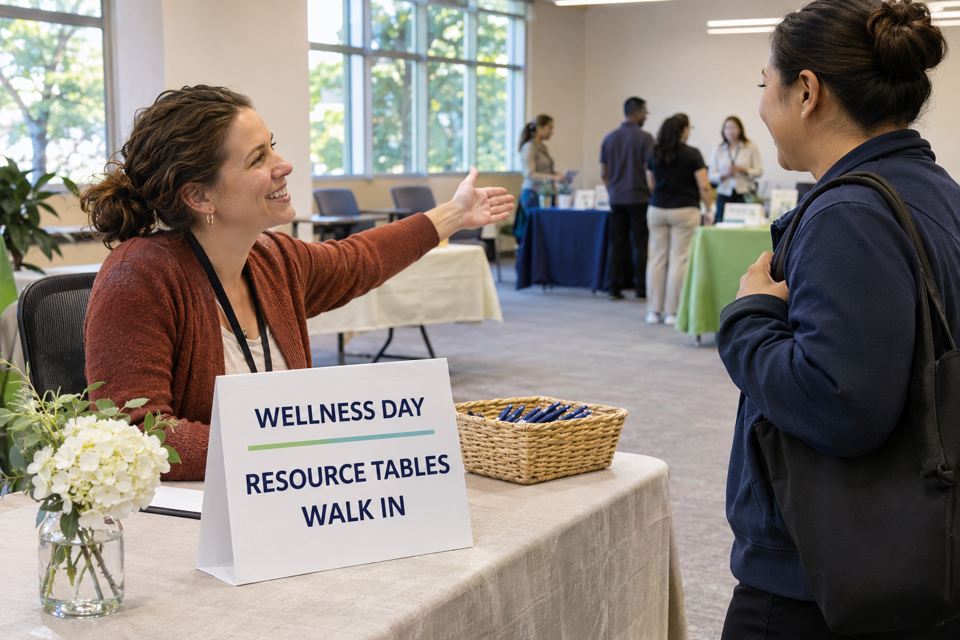
What should visitors do when they arrive?
Give each activity an admission rule and a destination. A visitor who wants to pick up a benefits brochure can go straight to the resource tables if the organizer has opened them to walk-ins. Someone with a confirmed workshop seat needs the room and check-in point. Someone hoping to join a full workshop needs to know where to ask and when an answer is available.
| Visitor | Sample wording | Next step |
|---|---|---|
| Browsing open tables | Resource tables · Walk in | Follow the marked route into the resource area. |
| Confirmed for a session | Booked activity · Check in at the room | Show the session confirmation to the room host. |
| Hoping for a seat | Session waitlist · Ask the welcome desk | Ask about the specific session and the next update. |
UMass Lowell’s 2025 staff fair announcement described a drop-in event with advance sign-up for selected limited activities. Columbia’s Benefits Expo instructions show another arrangement. They describe advance registrants taking priority for certain sessions, while some activities use walk-in or on-site sign-up. For your event, have each activity owner confirm the rule that applies at their station.
Give the welcome desk and the room host the same plan
On a short desk sheet, record the names of the activities, room locations, start times, access rules and the person who can release a seat. Use the same names on the event page, directional signs and room list. A visitor who booked “Benefits Portal Demo” should be able to find that wording at the door.
Pick one current seat list for each limited session. The welcome desk can relay questions from it, and the room host can record arrivals against it. Assign one person to approve a seat release. Tell volunteers how to reach that person and what to say if the count is uncertain.
Place signs where the paths actually separate. Test the route from the entrance and the elevator. Ask a colleague unfamiliar with the event to find the open tables, a booked room and the point for asking about a seat. Offer a staffed or plain-text route alongside any QR code. Keep personal booking details off public signs and route service-specific questions to the responsible provider.
How does one cancellation affect an eight-seat session?
Consider a fictional 11 a.m. Benefits Portal Demo with eight seats confirmed by the room host. At 10:45, five confirmed participants have checked in and three confirmed participants are still expected. All eight seats are assigned. Two people are waiting for a place. The desk tells them when to check back and directs them to the open resource tables in the meantime.
10:45 · 5 checked in + 3 held for confirmed arrivals = 8 assigned. Open seats: 0.
10:50 · A confirmed participant cancels. The room host verifies the cancellation. 5 checked in + 2 held = 7 assigned. Open seats: 1.
10:51 · The first person on the waitlist accepts the offered place. 5 checked in + 2 original confirmed arrivals + 1 newly confirmed arrival = 8 assigned. Open seats: 0. One person still waits.
The host updates the shared list before the desk offers any further seats. The volunteer can say, “The 11 a.m. demo is full. I can check again at 10:55. You can visit the open resource tables now.” If the room has a late-arrival release rule, agree on it with the host beforehand and explain it to booked attendees. Keep a confirmed seat assigned until the host verifies a cancellation or applies that communicated rule.
Which messages belong on a printed sign?
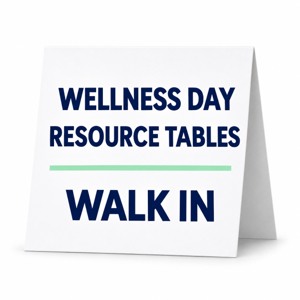
Use a tabletop sign for a direction that stays true
A short desk label such as “Resource tables · Walk in” can stay in place throughout an event with open tables. DecentCustom’s custom paper table tents for walk-in directions are listed at 5 × 7 inches on 14pt cardstock. The folded format stands on a counter. Check the chosen finish under the actual room lighting and test a proof from where a visitor will read it.
Use a replaceable insert, a whiteboard or the maintained event schedule for live seat availability, revised rooms and cancellations. A single event can use existing holders with fresh paper inserts. For larger signs or other printed formats, browse custom marketing materials. Bring the approved sign text, placement and quantity to DecentCustom if you need a printed set.
The folded sign is AI artwork. Confirm the chosen print configuration and check the actual proof.
Employee wellness day check-in questions
Does a drop-in fair require activity appointments?
It can. Check the fair’s general entry rule and each activity’s booking rule separately.
Does joining a waitlist reserve a seat?
A waitlist records interest. A seat becomes assigned when the host releases capacity and confirms the place under the event’s stated process.
What should the desk do when its count differs from the room count?
Pause seat offers and ask the assigned host to reconcile the list. Give waiting visitors a time for their next update.
When is a reusable sign enough?
Use one when directions or times are likely to change, or when an existing holder already makes the message readable from the visitor’s approach.