A new year on the cover does not verify the dates inside. Check the calendar structure, then label holiday dates and any observed dates separately before approving a dated print file.

Check the dates before the decorative year
When reusing last year’s artwork, replace more than the headline. A file can say 2027 while retaining the previous year’s weekday columns, February length or holiday notes. Those errors can survive a logo and color review because the artwork still looks like a calendar.
Start with the full year and the calendar type the piece is intended to represent. For a 2027 Gregorian calendar, January 1 is Friday, February has 28 days, March 1 is Monday and December 31 is Friday. There are 365 days; February 29 does not belong in that year. These are date checks, not suggested business opening days.
Next read the weekday headings. A Monday-first grid and a Sunday-first grid can both be correct, but the dates must align with the chosen headings. Locate January 1 under Friday, move through the whole January sequence, and check the handoff from January 31 to February 1. Repeat the end-to-start check for every adjacent month. A correct first cell does not prove the rest of a copied grid.
Compare the complete grid with a trusted calendar using the same week-start convention. The few dates above are quick failure checks, not a substitute for reviewing every printed date. If the piece contains only selected reference dates, check every one of those entries and identify what the selection represents.
A holiday date and its observed date can be in different years
The OPM federal holiday schedules show New Year’s Day on Friday, January 1, 2027. The 2028 schedule also lists a Friday, December 31 observance for New Year’s Day. That December date is in 2027: January 1, 2028 falls on Saturday, and the preceding Friday is the observed day for most federal employees on the schedule described by OPM.
If your reference card includes that observance, label it precisely: December 31, 2027 — New Year’s Day observed for January 1, 2028; OPM federal schedule. Do not label December 31 as the actual first day of 2028. Keep the calendar date, holiday name and scope together.
A federal schedule does not establish when your private shop closes, when a venue admits guests or when a supplier dispatches an order. If the artwork also includes company closure dates, have the responsible business owner confirm that separate list. An undecided closure should remain undecided rather than being filled from the federal calendar.
A completed proof-return note
In fictional example K27, Cleardale Studio is preparing a small 2027 reference card. Its first proof has a 2027 headline, January 1 under Thursday, a February 29 cell and a note calling December 31 “New Year’s Day 2028.” The reviewer returns this specific note:
K27-v1 — Return for correction
Retain the approved 2027 title and Sunday-first headings. Rebuild the 2027 date grid: January 1 must be Friday, and February must end at Sunday, February 28. March 1 is Monday. Check every month transition against the same 2027 reference.
Replace the December note with “December 31, 2027 — New Year’s Day observed for January 1, 2028; OPM federal schedule.” Keep the actual January 1, 2028 holiday date distinct. Do not add a Cleardale closure: no company closure has been approved.
Return K27-v2 for a full date and text review. K27-v1 is not approved for printing.
The next review concerns K27-v2 itself, not a message saying the designer made the changes. The reviewer checks the grid and each selected holiday note, then checks the actual PDF at intended print size for small text, clipped dates and the correct front and back. If the layout is too crowded, shorten the selection or use a larger format; a correct date that cannot be read does not serve the reader.
Only after those checks would the fictional owner record “K27-v2 approved” against that exact file. A later edit to a date, note or layout needs another review of the changed version. No actual artwork approval was issued for this example.
Choose print only when the reference deserves a fixed version
An undated card or an existing digital calendar may be enough for a frequently changing schedule. If customers need a small fixed reference, a custom postcard is a possible format. The card does not arrive with a verified 2027 grid unless that content is actually part of the artwork you approve.
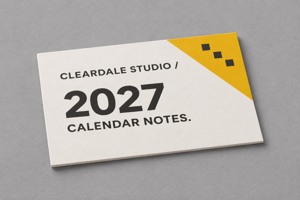
A flat card for approved reference artwork
These 6 × 4 inch custom postcards list horizontal and vertical orientations and full-color single- or double-sided printing. The page identifies 16pt as the default stock, with 14pt and 18pt options, and a glossy-front default finish. Confirm the chosen combination rather than assuming every listed option is supplied together.
Compare custom postcard formats and send DecentCustom the approved file, orientation and intended reading size. The page states ordering increments of 50; an increment is not evidence of 50 recipients or a reason to print more dated cards than you can use.
The yellow and charcoal Cleardale artwork is an AI concept, not a dated calendar product or a physical proof. Keep calendar verification in the actual text and print file, where the reviewer can compare it field by field.
Sources and calendar arithmetic checked November 11, 2026, UTC. Cleardale Studio and K27 are fictional. This guide covers print accuracy, not an employer’s holiday-pay obligations or any company’s actual closures.