Start an International Day of Education plan with the learner’s task, then decide whether any additional material is needed. A local business, community group or learning organization can contribute a useful activity without beginning with a giveaway list.
The first decision is specific: who is the activity for, and what should they be able to do afterward? “Celebrate education” provides a purpose, but it does not yet tell the organizer whether to arrange a resource introduction, a continuing study group or a taught class.
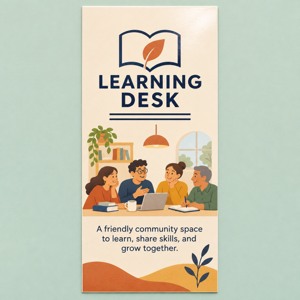
AI illustration of activity planning. The people, setting and Learning Desk artwork are illustrative; no library partnership is implied.
Keep the observance date separate from your activity plan
UNESCO’s International Day of Education page identifies January 24 as the annual observance and connects it with education’s role in peace and development. Its current page, checked November 13, 2026, presents the 2026 celebration. This guide does not treat that edition’s theme as a confirmed 2027 theme.
Use the stable date for planning, then confirm your own activity date, host and arrangements. If the local activity takes place on a different day, state that date clearly instead of suggesting that the annual observance has moved. Recheck the official page before using edition-specific wording.
Next, ask a prospective participant or the program’s learner-facing staff which task would be useful. For an adult group, possible starting questions include finding an appropriate beginner resource, choosing a place to practice or knowing whom to ask about a course. Treat these as candidate needs until the intended learners or responsible program team confirm them.
Choose a format that can deliver the task
Existing learning services show why one format does not fit every purpose. Peer 2 Peer University’s learning circles are facilitated study groups that meet regularly, in person or online, using dedicated learning materials. The facilitator is not necessarily the subject expert. That model involves an ongoing group process; a single welcome session should not be advertised as the whole experience.
The Seattle Public Library’s technology-skills page offers a different starting point: a range of beginner resources and links to learning options. Its examples include short tutorials, text-and-image resources and video-based lessons with varying language or caption arrangements. A resource introduction can help a learner find an appropriate next step without creating another course.
For your own activity, compare these choices:
A short resource introduction: participants leave knowing where a relevant resource is and how to check its access requirements. Review the actual resource before sharing it.
A facilitated learning group: confirm the facilitator, materials, meeting pattern and follow-up before inviting people to an ongoing commitment.
A taught class: arrange a suitable educator and confirm the lesson, participation requirements and any assessment through the provider’s process.
These are planning options, not claims that a cited organization is available to partner with your event. If an existing local program already meets the need, directing people to its current information may be more useful than staging a separate activity.
Worked example: a local learning-resource introduction
Fictional planning example: a community bookshop wants to offer an adult learning-resource introduction around International Day of Education. The organizer has heard interest in finding beginner digital-skills materials and will confirm that interest before announcing the session. The following brief describes an invented activity, not an actual event.
Learner task: identify one beginner resource worth exploring and know its next access step. Format: a short facilitated introduction, with time for participants to compare the resources being shown. Activity owner: the bookshop’s named organizer confirms the host arrangements; the facilitator checks the selected resources in advance. Activity: show where each resource lives, explain its stated access requirements and invite participants to choose a possible next step. Do not promise mastery of digital skills in this introduction. Preparation: confirm the venue, date, equipment, participation arrangements and a contact route for questions before promotion. Takeaway: a maintained resource address, plus another way to request the information if needed. Follow-up: explain where participants can continue learning and whom to ask about the relevant program.
For this example, a room full of identical notebooks would not establish that the resource task can be completed. A working demonstration, checked links and clear access instructions are more directly connected to the stated activity.
If the intended learners instead want regular supported practice, revise the format and confirm who can sustain it. If the host cannot verify the resources or supply the agreed facilitation, postpone the invitation rather than letting a printed theme stand in for the activity.
Decide what to keep, add or hold
Review the activity step by step. Keep suitable existing tables, display equipment and approved learning resources. Confirm access to each resource and its conditions; availability on a public page does not automatically make every linked service usable by every participant.
Add a printed guide only if it helps with a defined step, such as returning to a checked resource after the session. Include a readable address and an appropriate contact route. A QR code can be an additional option if tested, while the information still needs another usable route.
Hold purchases whose purpose is still “something for the day.” Identify the intended use, approved artwork, actual quantity and receiving arrangements before requesting a quote. Keep gifts and commemorative pieces separate from the materials required for the learning task.
Afterward, a participant’s selected resource or stated next question can inform the organizer’s follow-up. It does not by itself demonstrate improved skills. Attendance, items distributed and learning outcomes should retain their different meanings.
Use a printed resource guide only when it remains useful
If approved resource-routing information will be reused, custom rack cards for a stable learning-resource guide are one possible format. The linked paper SKU is 3.74 × 8.27 inches, with a default 14pt glossy option and a starting quantity of 50. A holder is separate.
The image is an AI artwork concept, not an official campaign item or finished customer order. It does not include authorization to use a library’s, the UN’s or UNESCO’s marks. Check the actual-size proof and current resource information, then review rack card formats and options when preparing approved artwork with DecentCustom.
If an existing email or maintained resource page serves the participants, use it without adding print. The activity and its useful next step come first.
Sources and the linked SKU were reviewed November 13, 2026. The bookshop example and planning framework are editorial suggestions. Local interest, access arrangements, official 2027 campaign details and any reader, learning or business results remain unverified.