A GivingTuesday donation is not automatically matched or doubled. Before printing “double your gift,” identify the actual match provider, rate, eligible gifts and time window. If no current arrangement supports the claim, leave it out of the campaign message.
Will every GivingTuesday donation be matched?
No. The official GivingTuesday FAQ says the organization does not arrange or distribute matching gifts. A company, employer, sponsor or other program can have its own arrangement. The day's name alone does not establish one.
Check the named program instead of copying a broad claim from another organization's campaign. A match available to one nonprofit, employee or payment route may not apply to another.
Is a platform match the same as a campaign sponsor match?
Not necessarily. As a current example, Givebutter's 2026 Giving Tuesday guide describes a 1% program for eligible online donations, with nonprofit verification, payout-setting and time-window conditions. It distinguishes that program from its separate campaign matching feature.
A 1% program does not support a headline saying every gift is doubled. Nor does a published program establish that your organization qualifies. Read the provider's complete current conditions with the responsible campaign owner before describing an actual benefit. This is a counterexample for reviewing copy, not a recommendation to change financial accounts or platforms.
Why might the matched amount differ from the campaign total?
The named provider's guide distinguishes eligible online gifts from the whole campaign total and excludes categories such as offline gifts and donations outside its stated window. Those are that program's conditions, not universal rules for every sponsor or employer.
Use a short internal record to keep the public claim attached to its actual basis:
| Field | What the owner should confirm | Unsupported shortcut |
|---|---|---|
| Provider and arrangement | Who is supplying this match and where the current rules are recorded | “GivingTuesday matches everyone” |
| Rate and limits | The approved rate, applicable amount and any limit in that arrangement | Calling every match a doubling |
| Eligible gifts | Which gifts, donors, organizations or routes the actual rules include | Applying a platform program to all gifts |
| Window | Start, end and time-zone basis for the particular program | Assuming a local calendar day is the entire window |
| Public wording | Who approved the claim and where supporters can read the relevant conditions | Letting a printed headline create missing terms |
What should we print when no match is confirmed?
Fictional example: Civic Bloom drafts an information card saying, “Every GivingTuesday gift will be doubled.” The coordinator has seen another organization's match announcement but has no written arrangement for Civic Bloom.
The coordinator holds the proof and asks the responsible campaign owner to check the proposed claim. The owner finds no confirmed sponsor match or established qualification for a provider program. The team removes the doubling sentence rather than inventing a cap, deadline or sponsor.
The owner checks the group's existing ordinary appeal and current support-information page. Those remain the approved communication routes without a match promise. The team records that no match claim is approved and places no additional print order. The example completes a copy decision; no real donation, sponsor commitment or financial setting is involved.
Keep changing conditions easy to update
If a genuine arrangement is approved later, review the complete statement again. Keep its conditions close enough to the claim that a reader can understand what is offered. An old card or another organization's screenshot is not the current approval record.
Separate stable organization information from short-lived match wording. Existing accurate materials may already do the stable job. Confirm the actual preparation deadline before relying on a new print run; this guide does not promise arrival before GivingTuesday.
An optional community-information card
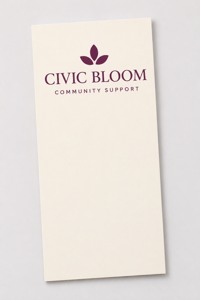
Flat printed rack card
These rack cards for approved community information list a 3.74 × 8.27 inch format, default 14pt stock and glossy finish. The current minimum is 50. The illustration shows an ordinary flat card; a display holder is separate.
Compare custom rack cards only for a defined information need. Bring approved wording and the actual configuration to DecentCustom for a proof review. Printed paper does not create a match commitment or confirm eligibility.
Reviewed November 17, 2026. GivingTuesday and Givebutter explain their own arrangements; the provider example is conditional and may change. Civic Bloom is fictional. No actual program qualification, match payment, donation result or fundraising performance is verified here.