Give visitors the location for their actual task. A lobby schedule, an ATM, a mailing address and a booked video meeting are different destinations—even when one organization lists them together.
A street address is only the start of visitor directions
Start with the question the visitor is trying to answer: “Where do I go for this appointment or service?” Then name the service, the relevant entrance or suite, its hours and any confirmation needed. A building can be open while a particular office is closed. A published mailing address may not receive visitors at all.
Sound Community Bank’s location directory illustrates the distinction. It lists administrative offices in Suite 150 and the Belltown lobby in Suite 100 at the same street address. The administrative listing shows weekday closure while the lobby has its own weekday hours. ATM and virtual-teller schedules are listed separately. Copying one status across the whole address would erase those differences.
The BECU directory also identifies service differences, including tellerless locations and locations with tellers. A tellerless label does not, by itself, establish that a location has no staff. Use the operator’s actual service description rather than replacing it with an assumed meaning.
Other offices need a different distinction. Bayley Davis Associates’ FAQ explicitly identifies its mailing address as not its office and says in-person meetings are unavailable until further notice, with Zoom meetings available on request. Alta Via Financial Planning’s FAQ describes mostly virtual meetings without dedicated office space and occasional in-person meetings. Neither model supports inventing a permanent walk-in reception desk.
Keep one record for each service-location combination
Give the coordinator a short working record before changing the website, appointment confirmation or printed directions. It should answer these questions:
| Field | What to confirm |
|---|---|
| Task and channel | Which service is this, and is it in person, remote, mailing-only or another approved route? |
| Visitor destination | Building, suite and entrance for this task; distinguish a mailing destination explicitly. |
| Availability | Hours for the named service, time zone and whether a confirmed appointment is required. |
| Approved source | Responsible office owner and the current service page or appointment instructions. |
| Mismatch action | Who resolves conflicting addresses or an unconfirmed meeting location before directions are issued? |
| Public uses | Which actual website text, confirmation template, reception script or sign carries this information? |
Do not combine incompatible records just to make the list shorter. A remote meeting can have a confirmed time without having a visitor address. A mailing address can remain valid while the firm uses a separate booked meeting room. Availability for one professional also does not establish capacity for everyone in the office.
If the sources disagree, label the destination unresolved internally and hold the proposed directions. Do not guess a suite, choose the address appearing most often, or send a visitor to a shared building “to ask around.”
A complete correction: mailing address versus booked meeting room
Fictional worked example, not a real firm’s address or appointment policy. Suiteline’s administrator finds an old confirmation template that says, “Visit our office at Cedar Building, Suite 190.” The current internal record identifies Suite 190 as mailing-only. In-person meetings use a separately booked room in Harbor Building, Suite 420; remote meetings use the firm’s existing confirmation process.
The administrator stops the old template from being used for new directions while the office owner confirms the meeting route. The shared-space host confirms Room 420 for the example appointment and permits one small visitor-information display at its reception desk. That permission applies to this location; it does not authorize displays throughout the building.
The owner then approves these two pieces of copy:
General visit information: Our mailing address is not a visitor location. In-person meetings require a confirmed appointment. Use the meeting location stated in your appointment confirmation; contact our office through its usual contact route if that location is missing. Remote meetings use the joining instructions supplied for that appointment.
Example appointment confirmation: Your confirmed in-person meeting is Tuesday, December 8, 2026, at 10 a.m. Pacific, Harbor Building, Suite 420. Check in with the shared reception host for Suiteline. Do not travel to our mailing address at Cedar Building, Suite 190. Contact our office through your usual contact route if your plans change.
The coordinator replaces the misleading general visit text and confirmation template. A colleague rehearses two situations: a visitor holding only the mailing address must seek confirmed directions; a remote attendee must use that appointment’s joining instructions. Neither is directed to a presumed walk-in office. The dated example confirmation is used only for its named appointment, not as a permanent public schedule.
A small desk sign helps only after the destination is correct
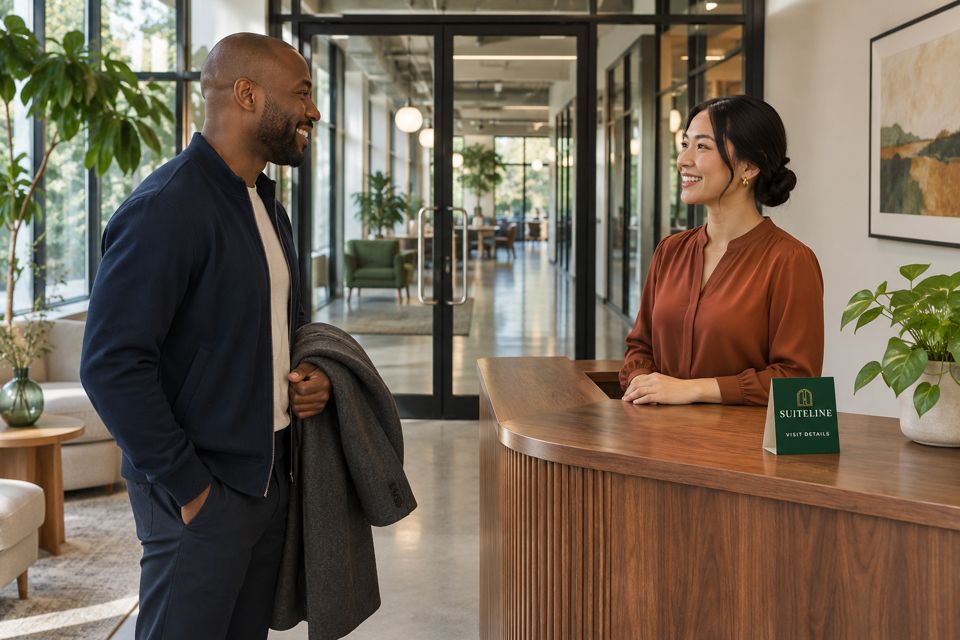
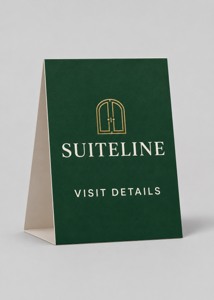
A display inside a building cannot correct every wrong address someone sees before leaving home. Fix the existing visit page and confirmation first. At a genuinely approved reception desk, a concise sign may then identify the office’s visit-information route. Keep changing room bookings and individual appointment details in the existing confirmation process.
An optional paper table tent
These custom table tents for approved visitor information are listed in a 5 × 7-inch format on 14pt card stock. The current product quantity field starts at 25 and enforces a minimum of 25 for this listing. Confirm the selected configuration and current order details before purchasing.
Compare custom table tents for reception desks, and bring approved artwork and wording to DecentCustom. If existing directions are sufficient, or the shared-space operator has not permitted a display, no new table tent is needed.
AI paper-product concept. A printed sign does not confirm an appointment, authorize access, update itself or replace the office’s approved document-delivery process.
Read the directions as a first-time visitor
Before release, ask a colleague to identify the destination for one in-person appointment, one remote appointment and one mailing task using only the finished instructions. Check the suite, task, time zone and confirmation requirement against the approved record. If an answer depends on private staff knowledge, revise the instructions.
Record the owner of the location information and which public uses must change when a room or service moves. For schedule exceptions within one confirmed location, the separate guide to regular hours and dated closures covers a different maintenance task.
Selected public operator information and product fields reviewed November 15, 2026. Confirm current arrangements with the relevant office. This article concerns administrative directions, not financial, tax, legal or document-security advice.