Use the calendar of the community you are serving, then confirm its actual local arrangements. A familiar January 6 reference does not establish every church’s 2027 observance or your event’s starting time.

Choose the relevant church calendar before copying a date
The USCCB daily readings for January 3, 2027 identify that day as the Epiphany of the Lord. That page belongs to the Lectionary for Mass used in the dioceses of the United States. Sunday, January 3 is therefore a relevant 2027 reference for that named context; it is not a date to assign to every Christian community.
The Episcopal Church’s own seasonal resources describe its Epiphany season as beginning January 6. That is a different reference from the USCCB date above. It still does not supply a particular congregation’s service time or confirm a community dinner.
Begin the working brief with the community’s name, the calendar or church source its responsible person uses, the relevant year and the exact observance wording that person approves. Do not merge sources into one supposedly universal schedule. If the intended community is unclear, settle that question before selecting a date or religious imagery.
Confirm the service and any separate gathering on their own terms
A calendar reference answers a calendar question. A local notice also needs the host’s actual arrangements. Ask the person responsible for the service or activity to confirm its date, weekday, local time, location and participation instructions. Check whether different parts of the program have different hosts or venues.
Keep these four fields separate in the working record:
- Calendar reference: the named church source, year and observance.
- Confirmed local service or activity: the host-approved details and person approving them.
- Separate proposed gathering: what remains undecided, who will resolve it and whether it can be announced.
- Maintained information route: where the host will publish corrections and answer questions.
A room request is not a confirmed venue. Interest in sharing a meal does not establish catering, admission or a place for everyone. Keep pending details in the internal plan rather than allowing them to acquire apparent authority through polished artwork.
Correct a generic January 6 notice before printing
Fictional planning example: Open Arch is coordinating general visitor information for a U.S. Catholic parish. A helper copies January 6 from a general calendar and adds “service followed by a community meal.” The parish has not approved that notice, and the meal is only a proposal.
The coordinator holds the print file. The responsible parish contact checks the applicable 2027 calendar and confirms that this invented parish’s Epiphany service will be on Sunday, January 3. The coordinator records the actual service details supplied by that contact, instead of inventing a time from the national readings page.
The meal has no confirmed arrangements, so it is removed from the invitation. The revised notice describes only the host-approved service, uses the parish’s maintained information route and returns to the responsible person for approval. In this example, that person checks the complete wording and approves the corrected version for the existing bulletin and information page.
The team does not order a separate promotional card just to repeat the bulletin. This resolves the fictional notice’s date and scope; it does not verify a real service, food arrangement, registration or church endorsement. A different community must make its own calendar and local-arrangement check.
Approve the version people will actually receive
Before release, compare the final file with the approved brief. Read the year, weekday, date and time together; then check the location, host name, update route and whether every advertised part of the activity is confirmed. Ask someone unfamiliar with the draft to explain when and where they would go and what the notice says they can attend.
If that reading exposes a mismatch, correct the file and return the changed information to its owner. Keep the previous version in the working records and identify which active copies need replacement. Updating one online file does not retrieve paper copies already handed out.
Use host-approved artwork and terminology. A supplier’s design preview can help review ordinary printing, but it does not approve religious wording, grant use of a church’s identity or confirm an event.
Print stable community information only when it has a use
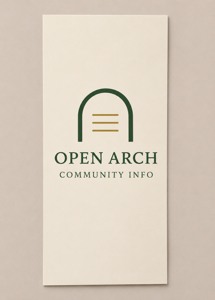
An ordinary indoor information card
These ordinary rack cards for approved community information list 3.74 × 8.27 inches, default 14pt standard glossy stock and a current minimum quantity of 50. The AI concept shows paper artwork; a holder is separate.
Compare custom rack cards only after confirming the distribution need. Review the selected ordinary artwork with DecentCustom. The card is not an official church publication, liturgical book, ticket or confirmation of participation.
Named church sources and product reviewed November 15, 2026. Open Arch and the parish example are fictional. Calendar references apply to their stated contexts; no actual local service, gathering, approval, affiliation or business outcome was verified.