Before preparing family information or branded materials, identify the actual program site, the person handling family questions and the current arrival instructions. A provider’s office address may serve a different purpose.
Start with the service arrangement
A dedicated classroom, a program hosted at a school and a family reception point can share a provider name while serving different purposes. Before proposing new print, ask which task the family needs to complete: finding the session, asking a program question or following a confirmed arrival arrangement.
| Branch | What to confirm | What existing information may cover |
|---|---|---|
| Dedicated classroom or center | The relevant program, location and approved arrival instructions | The center’s current welcome information and existing reception signs |
| School-hosted program | The selected host site and the provider’s site-specific family instructions | The host’s approved signs and provider messages |
| Family questions or administrative reception | The right team and its stated contact route | The existing office contact page, portal or confirmation |
The table is a planning distinction, not a universal access policy. A contact address does not establish permission to enter a classroom. An office’s opening hours do not necessarily describe teaching hours or the time families should arrive.
Read the location list and the contact details separately
Launch’s School Age page lists school-age program locations and separately identifies its Launch Office. It also directs readers to individual locations for more information or a tour. This illustrates why the program site needs its own check: the office footer does not replace a family’s selected school location.
Seattle Children’s Theatre’s Drama School FAQ says its welcome email includes drop-off and pickup details before a program begins. It gives an Education Office contact route, while the same page separately lists box-office details and hours. The FAQ also distinguishes enrolled-student classes from designated family sharing days. These are that provider’s arrangements, not rules to apply to another school.
For each selected program, keep the class record, host location and family message together. Where the current source leaves the entry or reception arrangement unclear, retain that uncertainty and use the provider’s established enquiry route. Do not create a door number, visitor route or reception timetable from the organization’s name alone.
Complete one address correction before ordering materials
Fictional planning example: an education provider runs an after-school session at a partner school and handles administration from a separate office. A draft family card copies the office address beneath the words “Your class location.” The coordinator checks the program record and finds that the card points families to the wrong branch of the operation.
The coordinator removes the office address from the class-location field. They check the chosen host site and the approved family arrival message with the responsible program team. The revised information identifies the host school as the session site and keeps the administrative contact clearly labelled for questions. If entry details have not yet been approved, it points families to the current program message rather than inventing an entrance.
The finished example separates three things that were previously collapsed: where the session takes place, who answers questions and where the current arrival instructions are provided. It does not confer access or change the program’s own family procedures. Any material displayed at the host site still needs that site’s approval.
Find the information gap before adding an object
Read the existing welcome email, portal notice and approved signs first. If they already answer the family’s question, another handout may add little. If the same provider uses several sites, check which parts of a proposed card can remain stable and which need a site-specific message. A general identity card should not be presented as a complete class confirmation.
Assign someone to review changes to the active program information before reusing old print. Keep individual student details and pickup permissions in the provider’s established process. A logo, staff shirt or family information card does not verify identity, professional qualifications or permission to collect a child.
Choose a small information format only when needed
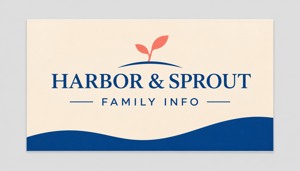
A dry reception-desk information card
These custom business cards for family information are listed at 3.5 × 2 inches, with 14pt standard paper as the default thickness. The current minimum quantity is 50, in increments of 50. The image shows an AI artwork concept.
Compare custom business cards if a stable provider identity and information route would help at an approved dry reception point. Prepare actual approved artwork with DecentCustom. This paper card is not a student ID, admission confirmation or pickup authorization.
Use existing messages and signs when they already meet the need. Confirm the intended location, responsible team and permission to use the material before placing an additional print order.
Checked November 13, 2026: the linked Launch and Seattle Children’s Theatre pages and current product listing. These selected Seattle examples illustrate service arrangements; they do not establish national practice, current class vacancies or procurement quantities. The worked correction is fictional. No enrolment, child data, learning result or business outcome was obtained.