Match each adult-learning offer to its own entry process, materials and next action before creating a shared brochure or welcome pack. A vocational program, a short workshop and a continuing education class can serve the same adult while requiring different first steps.
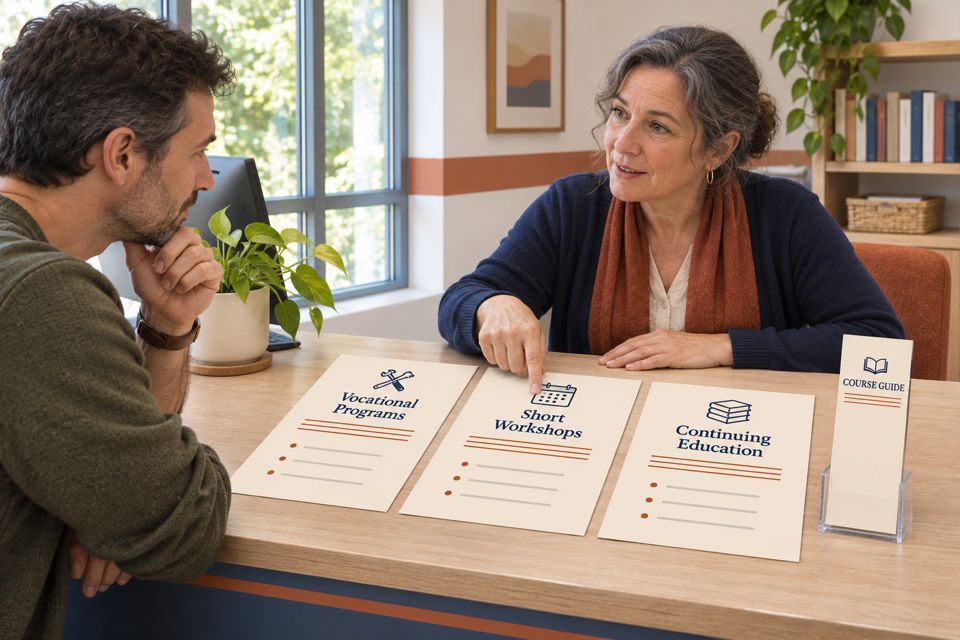
Start with the offer, then choose the materials
Before approving a school-wide information card, write down what someone is actually choosing: entry to a structured program, a place in a particular workshop, or registration for a noncredit class. These are useful operating distinctions rather than universal definitions; follow the wording and process of the specific provider.
For example, Perry Technical Institute’s enrollment page separates a program tour, application and enrollment review. A tour inquiry should therefore lead to the tour or admissions process, with remaining requirements confirmed by Enrollment Services. It should not be treated as a confirmed first day of class.
By comparison, Seattle Central’s Continuing Education FAQ describes adult classes for personal enrichment and professional development that do not carry academic credit. It says a college application is unnecessary, while individual class registration still applies. Its supply requirements belong to the specific class page.
| Offer being discussed | What to establish first | Useful information to give |
|---|---|---|
| Structured vocational program | Which program and location? Is this an inquiry, tour, application or confirmed enrollment? | The relevant admissions route and the person or department that confirms the next step. |
| Short workshop or class series | Which session? What does its booking include? What must the participant bring? | The exact session page, preparation instructions and booking confirmation process. |
| Continuing education | What does this provider mean by the term? Which course, delivery format and registration route apply? | The current course page and provider’s own description of any completion documentation. |
A short course can sit inside a continuing education department, and a vocational school can also offer short workshops. Classify the particular offer being discussed. An institution’s name alone does not tell the front desk which process to use.
Use four questions at the first conversation
Ask enough to find the correct route before handing out supplies or making a booking assumption:
- Which course or program do you mean? Obtain its exact title or current page. If the person only has a subject in mind, help them locate the available offers first.
- What are you trying to do today? Exploring options, arranging a tour, booking a session and checking an existing registration call for different replies.
- Who will attend, and who is arranging payment? An employer, gift purchaser or family member may be helping someone else. Follow the provider’s authorized registration process for each role.
- Where will this particular session happen? Use the confirmed classroom, host site or online instructions. An office address or office opening time is insufficient to establish a teaching location or class start time.
The learner and payer distinction has a practical source. Seattle Central’s registration instructions say that an account used to register someone else should reflect the attending student’s information; payer information can be edited later. That is this provider’s process, not a rule to impose on every school’s system.
When a reply does not identify a specific offer, leave it as an inquiry. Give the correct course or department link and state what remains to be confirmed. A printed guide can introduce the choices, but the provider’s current record should establish a person’s status.
Check what the course already provides
A welcome pack should follow the teaching plan. Start with an inventory of required items, classroom loans, student-owned equipment and materials already included in the booking. Add an item only when its job is clear.
Hipcooks Seattle’s FAQ, for instance, says aprons are available and recipes are provided after class. Its current registration instructions also explain that gift-code checkout must be completed for the reservation to be received. Those details support a useful preparation message; they do not establish a need for another apron, notebook or gift bag.
For a different workshop, a student might need to bring equipment. Use that course’s actual list and distinguish required, optional and provided items explicitly. If something is missing from the instructions, have the course owner resolve it before producing a permanent handout. Do not turn an assumption about another provider into a purchasing requirement.
Worked example: correct a mixed first reply
Illustrative situation: a community learning center offers a longer career program, a Saturday sewing workshop and evening noncredit classes. A caller says, “I bought a class for my colleague. Do they bring their own kit, and does this enroll them in the program?” This example is fictional; it is not a customer case or a description of any source institution.
A general reply such as “All students get a welcome pack—come to reception” leaves the important questions open. A staff member can handle the inquiry in this order:
- Identify the purchase. Find the named course or gift purchase through the normal private channel. Determine whether it is a booked session, a gift balance or an inquiry; keep personal booking details out of public marketing material.
- Match the learner to the offer. Establish who will attend and direct the purchaser through the provider’s process for registering another person.
- Check the relevant preparation instructions. Confirm the sewing workshop’s own equipment list. The career program’s kit list does not establish what this workshop includes.
- Answer the program question separately. Explain the workshop booking and point to the career program’s admissions route if the colleague is also interested in that program.
Once the fictional center has verified its records, a completed response could read:
“Your purchase is a gift balance, so your colleague still needs to select and register for a sewing workshop. Please use the workshop’s booking page and complete checkout. Its preparation instructions list the equipment for that session. This workshop registration does not enroll them in our career program; that program has a separate admissions process.”
The response gives the caller an action and identifies the outstanding decision. If the center’s actual policy differs, the wording must change with it. If the purchase was already a confirmed booking, the next message should provide that booking’s instructions instead of asking the person to register again.
Give each offer a short internal brief
Before designing shared materials, have the responsible course owner complete one brief per offer. Keep this as an internal working document until its contents are approved:
Offer: exact course or program title and responsible department.
Entry: inquiry, tour, application or registration route.
People: attending learner, booking organizer and payer, where relevant.
Attendance: delivery format and where confirmed dates, times and location are found.
Materials: required, included, borrowed and optional items.
Result: the provider’s approved description of the course and any completion documentation.
Next action: one current link or contact route, plus who maintains it.
Read the proposed brochure against these briefs. If one sentence is wrong for a branch, revise the sentence or give that branch its own section. For example, “Register for a class” can suit a confirmed workshop route but omit necessary admissions steps for a career program.
Keep changeable details—available seats, exact dates, room changes and personal status—in the maintained course or booking system. Print stable information when there is a repeated need to explain it at reception. A plain handout or existing digital page may already do the job; new custom printing is optional.
When a printed course guide has a clear job
For an authorized reception team that repeatedly explains the same course branches, custom rack cards for course information are one paper format to consider. The linked SKU is a narrow 3.74 × 8.27 inch card; its current page lists 14pt standard stock with a glossy default, and a starting quantity of 50. The display holder shown in the catalog image is separate from the paper card.
Use the card for the offer categories and an approved next-step address. Keep exact sessions and registration status in the current system. The small image is an AI artwork concept, not a photograph of a finished order. Check actual-size type, contrast, margins and the selected stock before approving production.
Compare the available rack card options only after deciding the content and quantity you need. If printing is appropriate, prepare artwork you are authorized to use with DecentCustom. A course-information card introduces an offer; the school’s own process determines admission, attendance and completion.
Sources reviewed November 13, 2026: the linked provider pages and current DecentCustom product page. Provider examples describe their published processes; confirm current details directly before applying them elsewhere. The comparison, brief and fictional response are editorial tools, with no claim of tested enrollment, learning or sales results.